Have you ever wondered how to turn lost sales into recovered revenue? Abandoned carts are a common frustration for e-commerce businesses, but they also represent a significant opportunity. By strategically using discounts, you can entice customers back to their carts and complete their purchases. This guide will walk you through the process, from understanding why customers abandon carts to crafting compelling emails and automating the entire process.
We’ll explore the science behind cart abandonment, including the most common reasons customers leave items behind. Then, we’ll dive into setting up tracking, designing effective discount strategies, and writing email copy that converts. We’ll also cover important aspects like mobile optimization, legal considerations, and advanced techniques to maximize your results. Get ready to transform those lost sales into valuable conversions!
Understanding Abandoned Carts
Understanding abandoned carts is crucial for any e-commerce business. It’s a common occurrence, but it represents a significant loss of potential revenue. This section will delve into what constitutes an abandoned cart, the reasons behind it, and the financial impact it can have on your business.
Defining Abandoned Carts
An abandoned cart occurs when a customer adds items to their online shopping cart but leaves the website without completing the purchase. This means they’ve shown intent to buy but haven’t followed through with the transaction.
Common Reasons for Abandonment
Several factors contribute to cart abandonment. Addressing these issues can significantly reduce abandonment rates.
Here are some of the most frequent causes:
- Unexpected Costs: Hidden shipping fees, taxes, or other unexpected charges at checkout are a major deterrent. Customers often abandon carts when the final price is higher than anticipated.
- Complex Checkout Process: A lengthy or complicated checkout process, requiring too much information or multiple steps, can frustrate customers and lead them to abandon their carts.
- Lack of Payment Options: Not offering a customer’s preferred payment method (e.g., PayPal, Apple Pay, or specific credit cards) can prevent them from completing the purchase.
- Website Issues: Technical glitches, slow loading times, or website errors can disrupt the shopping experience and cause customers to abandon their carts.
- High Shipping Costs: Expensive shipping costs, especially when compared to competitors, are a common reason for cart abandonment. Free shipping is often a strong incentive.
- Account Creation Required: Forcing customers to create an account before they can check out can be a barrier for some, especially if they are just making a one-time purchase. Offering guest checkout is often a better option.
- Security Concerns: Customers may be hesitant to enter their payment information if they don’t trust the website’s security. A lack of trust in the site’s security protocols, or an unclear return policy, can lead to abandonment.
- Comparison Shopping: Customers often use shopping carts as a way to save items and compare prices across different websites. They may abandon the cart after finding a better deal elsewhere.
Impact on Revenue
Abandoned carts have a direct and significant impact on a business’s revenue. Every abandoned cart represents a lost sale, and collectively, these losses can be substantial.
Here’s a breakdown of the impact:
According to a study by Baymard Institute, the average cart abandonment rate across all industries is approximately 69.82%. This means that for every 100 customers who start the checkout process, roughly 70 of them leave without completing their purchase. This statistic underscores the magnitude of the problem and the potential revenue that businesses are losing.
Consider an e-commerce store with an average order value (AOV) of $100 and 1,000 completed orders per month. If the cart abandonment rate is 70%, the store has 2,333 abandoned carts (1,000 orders / (1 – 0.70)). Assuming that each abandoned cart represents a potential sale with an AOV of $100, the total revenue lost to cart abandonment is $233,300.
This calculation illustrates the direct financial impact of abandoned carts.
Moreover, the cost of acquiring customers (marketing, advertising) is not recouped if those customers abandon their carts. Reducing cart abandonment not only recovers lost revenue but also increases the return on investment (ROI) of marketing efforts. By recovering even a small percentage of abandoned carts, businesses can significantly improve their profitability.
The key takeaway is that addressing cart abandonment is not just about recovering lost sales; it’s about maximizing the efficiency of your sales funnel and improving your overall business performance.
Setting Up Cart Abandonment Tracking
Tracking abandoned carts is essential for understanding why customers leave your website without completing a purchase. Implementing robust tracking allows you to identify patterns, pinpoint pain points in the checkout process, and ultimately, recover lost revenue. This section will guide you through the process of setting up and utilizing cart abandonment tracking.
Identifying Necessary Tools and Platforms
Selecting the right tools is the first step in effective cart abandonment tracking. Several platforms offer comprehensive solutions, often integrated with e-commerce platforms or available as standalone services.
- E-commerce Platform Integrations: Many popular e-commerce platforms, such as Shopify, WooCommerce (for WordPress), BigCommerce, and Magento, have built-in cart abandonment tracking features or readily available apps and plugins. These integrations often provide detailed analytics and automated email recovery functionalities.
- Marketing Automation Platforms: Platforms like Klaviyo, ActiveCampaign, and Omnisend excel at marketing automation and offer advanced cart abandonment tracking capabilities. They allow for highly personalized email campaigns, segmentation based on cart contents, and A/B testing to optimize recovery strategies.
- Standalone Cart Abandonment Tracking Tools: Tools specifically designed for cart abandonment, such as CartStack or Conversio, offer dedicated features and integrations. These tools often provide in-depth analytics, real-time tracking, and customizable recovery options.
- Analytics Platforms: Google Analytics, when properly configured, can track abandoned carts, although it typically requires more manual setup compared to dedicated solutions. You can set up goals and funnels to monitor the checkout process and identify drop-off points.
Detailing the Process of Integrating Cart Abandonment Tracking
Integrating cart abandonment tracking involves several steps, depending on the chosen platform or tool. The goal is to capture user behavior at each stage of the checkout process.
- Platform-Specific Installation: If using a platform-integrated solution, follow the provider’s instructions for installation. This often involves enabling the feature within the platform’s settings or installing a specific app or plugin.
- Code Snippet Integration: Standalone tools or marketing automation platforms often require you to insert a tracking code snippet into your website’s code, typically in the header or footer. This code tracks user activity and cart contents.
- Event Tracking Setup: Configure event tracking to monitor key actions within the checkout process, such as adding items to the cart, proceeding to the checkout page, entering contact information, and abandoning the cart. This setup is often managed through the platform’s interface or a tag manager like Google Tag Manager.
- Data Synchronization: Ensure the tracking tool or platform synchronizes data with your e-commerce platform and customer relationship management (CRM) system. This synchronization allows you to personalize recovery efforts and track conversions effectively.
- Testing and Verification: After integration, thoroughly test the tracking setup to ensure it captures data accurately. Simulate the cart abandonment process to verify that the system identifies abandoned carts and triggers the intended actions, such as sending automated emails.
Elaborating on How to Monitor and Analyze Cart Abandonment Data
Once cart abandonment tracking is in place, regularly monitoring and analyzing the collected data is crucial. This analysis reveals insights into customer behavior and the effectiveness of your recovery strategies.
- Key Metrics to Track:
- Cart Abandonment Rate: The percentage of shopping carts that are abandoned. A high abandonment rate indicates potential issues in the checkout process.
- Revenue Lost to Abandonment: The estimated revenue lost due to abandoned carts. This metric highlights the financial impact of cart abandonment.
- Conversion Rate of Recovery Emails: The percentage of abandoned carts that result in a completed purchase after receiving a recovery email.
- Average Order Value (AOV) of Recovered Carts: The average value of orders completed after cart abandonment recovery.
- Time to Abandonment: The average time a customer spends on your website before abandoning their cart.
- Data Analysis and Reporting:
- Segmentation: Segment abandoned carts based on various factors, such as product category, cart value, customer demographics, and the stage at which the cart was abandoned. This segmentation allows for more targeted recovery efforts.
- Identifying Trends: Analyze trends over time to identify patterns in cart abandonment behavior. This analysis may reveal seasonal fluctuations, product-specific issues, or areas for improvement in the checkout process.
- A/B Testing: Implement A/B testing on recovery emails and landing pages to optimize conversion rates. Test different subject lines, email content, discount offers, and call-to-actions.
- Regular Reporting: Generate regular reports to track key metrics and evaluate the effectiveness of your cart abandonment strategies. Share these reports with relevant team members to foster collaboration and inform decision-making.
- Example: A clothing retailer might discover that customers frequently abandon carts containing items from their “sale” section. This insight suggests that shipping costs or return policies for sale items are potential issues. Addressing these issues, such as offering free shipping or extending the return window for sale items, could reduce cart abandonment and increase revenue.
Designing the Discount Strategy
Now that you’re tracking abandoned carts, the next crucial step is designing a discount strategy that’s effective and doesn’t eat into your profits. This involves figuring out when to offer discounts, what types of discounts to use, and how to segment your customers for a more personalized approach. A well-crafted strategy can significantly boost recovery rates and turn lost sales into conversions.
Optimal Timing for Discount Offers
The timing of your discount offers is critical. Sending them too early might encourage customers to abandon their carts, knowing a discount is coming. Sending them too late might mean the customer has already purchased elsewhere or lost interest. The goal is to strike the right balance between prompting a purchase and not devaluing your products.The optimal timing usually involves a sequence of emails, each with a slightly different approach.
Here’s a suggested timeline:
- First Email (within 1 hour): This is a gentle reminder about the abandoned cart. Focus on the items left behind and highlight any benefits the customer might have missed, such as free shipping or a limited-time offer. No discount is offered at this stage.
- Second Email (24 hours later): If the customer hasn’t purchased, this is the perfect time to introduce a small discount. This can be a percentage off or free shipping. Keep the discount modest to avoid devaluing your products.
- Third Email (48-72 hours later): If there’s still no purchase, consider increasing the discount slightly. This could be a higher percentage off or a more attractive offer, such as a dollar amount off based on the order total. This is your final push.
This tiered approach gives customers multiple chances to complete their purchase and allows you to gauge their level of interest. Remember to consider your product margins and customer lifetime value when setting the discount amounts. A customer who buys from you regularly is worth more than a one-time discount.
Different Types of Discounts to Offer
The type of discount you offer can significantly impact your conversion rates. The best choice depends on your product, your profit margins, and your target audience. Here are some common discount types, along with their pros and cons:
- Percentage Off: This is a versatile discount that works well for most products. For example, “Get 15% off your entire order!” The advantage is simplicity and clarity. However, be mindful of your profit margins, especially on already discounted items.
- Dollar Amount Off: Offering a fixed dollar amount off, like “$10 off your purchase of $50 or more,” can be effective for encouraging higher order values. It can incentivize customers to add more items to their cart to reach the minimum spend.
- Free Shipping: This is a powerful incentive, especially for online shoppers. Free shipping can eliminate a significant barrier to purchase. Offer it on orders above a certain value to encourage customers to spend more.
- Free Gift with Purchase: This is a great way to incentivize purchases and introduce customers to other products. This could be a sample of a related product or a small accessory. This can boost the perceived value of the purchase.
- Tiered Discounts: Offer discounts based on the total order value. For example, “Get 10% off orders over $50, 15% off orders over $100.” This encourages customers to spend more to unlock higher discounts.
The choice of discount type should align with your business goals. If you want to increase order value, dollar-off or tiered discounts are good choices. If you want to eliminate a common objection, free shipping is effective. Experiment with different types to see what works best for your audience.
Designing a Strategy for Segmenting Customers
Segmenting your customers based on their abandoned cart behavior allows for a more personalized and effective discount strategy. This means tailoring your offers to different customer groups based on their past behavior, product interests, and purchase history. This can dramatically increase conversion rates.Here’s how you can segment your customers:
- New vs. Returning Customers: New customers might be more price-sensitive and require a larger discount to convert. Returning customers may be more loyal and might respond well to a smaller discount or a free shipping offer.
- Product Category: Segment customers based on the products they abandoned. If they abandoned a high-margin product, you might be able to offer a smaller discount. If they abandoned a low-margin product, you might need a more aggressive offer.
- Order Value: Segment customers based on the value of the items in their cart. Customers with higher-value carts might be more likely to respond to free shipping or a dollar amount off.
- Frequency of Abandonment: Customers who abandon carts frequently might be more price-conscious. Consider offering them a more significant discount or a loyalty-based offer.
- Purchase History: Customers who have made previous purchases are more valuable. You can offer them exclusive discounts or personalized recommendations based on their past purchases.
By segmenting your audience, you can create more targeted and relevant discount offers. This leads to higher conversion rates, increased customer satisfaction, and a better return on your marketing investment. You can implement this through your e-commerce platform or marketing automation software.
Crafting Compelling Discount Emails
Crafting compelling discount emails is crucial for converting abandoned carts into sales. The effectiveness of these emails hinges on their ability to capture attention, build desire, and ultimately, motivate the customer to complete their purchase. A well-crafted email campaign can significantly improve your conversion rates and boost your revenue.
Creating Engaging Subject Lines
Subject lines are the first impression your email makes, determining whether it gets opened. A compelling subject line increases the likelihood of the email being read, making it the most critical element.
- Personalization: Subject lines that include the customer’s name or reference the specific items left in their cart tend to perform better. For example, “Hi [Customer Name], your [Product Name] is waiting!” or “Still thinking about [Product Name]?”
- Sense of Urgency: Creating a sense of urgency encourages immediate action. Consider subject lines like “Don’t miss out! Your cart is expiring soon!” or “Last chance: Your [Product Name] is going fast!”
- Benefit-Driven: Highlight the value the customer receives. Subject lines like “Get [Discount Percentage] off your order!” or “Your cart is ready – with a special offer inside!” are effective.
- Intrigue: Spark curiosity with subject lines that hint at a special offer or surprise. For example, “Something special is waiting in your cart!” or “Exclusive offer just for you.”
- Examples: Consider these subject line examples:
- “[Customer Name], Your [Product Name] is Waiting for You!”
- “Still Thinking About That [Product Name]?”
- “Your Cart is Expiring Soon! Get [Discount Percentage] Off!”
- “Don’t Miss Out! Your [Product Name] is Selling Fast!”
- “Exclusive Offer Inside: Your [Product Name] Awaits!”
Developing Persuasive Email Copy
The email copy should be concise, engaging, and directly address the customer’s needs. It should remind the customer of the items they left behind, highlight the benefits, and clearly state the discount or offer.
- Personalized Greetings: Start with a personalized greeting, such as “Hi [Customer Name],” to create a connection.
- Reminder of Abandoned Items: Clearly display the items left in the cart, including images and product names.
- Highlight Benefits: Remind the customer of the benefits of the product, such as its features, advantages, and how it solves their problem.
- Offer Details: Clearly state the discount, offer, or incentive. Be transparent about the terms and conditions.
- Create Urgency: Include a time limit on the offer to encourage immediate action. For example, “This offer expires in 24 hours!”
- Examples:
Example 1 (Benefit-focused):
Hi [Customer Name],
We noticed you left some amazing items in your cart! The [Product Name] is designed to [Benefit 1] and [Benefit 2].
As a special thank you, we’re offering you [Discount Percentage] off your entire order. Use code [Discount Code] at checkout.
Shop now before the offer expires in 24 hours! [Button: Shop Now]
Example 2 (Urgency-focused):
Hi [Customer Name],
Your cart is almost empty! The [Product Name] is a popular choice, and we don’t want you to miss out.
Get [Discount Percentage] off your order when you complete your purchase within the next 12 hours. Use code [Discount Code] at checkout.
Hurry, this offer ends soon! [Button: Complete Your Order]
Emphasizing Clear Calls to Action
A clear and concise call to action (CTA) is essential for guiding customers toward completing their purchase. The CTA should be visually prominent and direct the customer to the next step.
- Button Placement: Place the CTA button prominently in the email, preferably above the fold.
- Action-Oriented Language: Use action-oriented language like “Shop Now,” “Complete Your Order,” “Claim Your Discount,” or “Get [Product Name].”
- Button Design: Use a contrasting color for the button to make it stand out. Ensure the button is large enough to be easily clicked on both desktop and mobile devices.
- Examples:
- “Shop Now”
- “Complete Your Order”
- “Claim Your Discount”
- “Get [Product Name]”
- Include a Direct Link: Ensure the CTA button or link directs the customer directly to their abandoned cart, pre-populated with the items they selected.
Automating the Abandoned Cart Discount Process
Now that you have a solid understanding of abandoned carts and have crafted a compelling discount strategy, it’s time to automate the process. This automation ensures that your discount emails are sent promptly and consistently, maximizing your chances of recovering lost sales. Automating also saves you valuable time, allowing you to focus on other aspects of your business.
Setting Up Automated Email Sequences
Automated email sequences are the backbone of a successful abandoned cart recovery strategy. These sequences are triggered when a customer abandons their cart and consist of a series of emails sent at predetermined intervals. The goal is to gently remind the customer of their abandoned items and entice them to complete their purchase.To set up these sequences, follow these steps:
- Choose an Email Marketing Platform: Select an email marketing platform that offers abandoned cart automation features. Popular options include Shopify (with its built-in features or apps), Klaviyo, Omnisend, Mailchimp, and ActiveCampaign. These platforms often provide pre-built templates and workflows specifically designed for abandoned cart recovery. Ensure the platform integrates seamlessly with your e-commerce platform.
- Create the Email Sequence: Design a series of emails. A typical sequence includes three emails, sent at the following intervals:
- Email 1 (Sent within 1 hour): This is a friendly reminder of the items left in the cart. It should be concise, personalized, and include a clear call to action (CTA) to return to the cart.
- Email 2 (Sent 24 hours later): This email reinforces the value of the products and introduces the discount. Highlight the benefits of the items and the urgency of the offer.
- Email 3 (Sent 48-72 hours later): This email is the final attempt to recover the sale. It emphasizes the time-sensitive nature of the discount, creating a sense of urgency.
- Personalize the Emails: Personalization is key to capturing attention. Use the customer’s name, show the items left in the cart, and personalize the email copy.
- Set up Triggers: Configure the automation triggers. These triggers are based on the customer’s actions, such as adding items to their cart and then leaving the site without completing the purchase. Most platforms allow you to set the trigger based on the cart status.
- Design the Workflow: Build the email workflow within your chosen platform. This involves defining the sequence of emails, the timing of each email, and the conditions that trigger the sequence.
- Integrate with Your E-commerce Platform: Ensure that your email marketing platform is properly integrated with your e-commerce platform to track cart abandonment events and send the appropriate emails.
Integrating Discount Codes into the Email Workflow
Integrating discount codes seamlessly into your email workflow is crucial for incentivizing customers to return and complete their purchase. Here’s how to do it effectively:
- Generate Unique Discount Codes: Use your email marketing platform to generate unique discount codes for each customer or a general discount code for all abandoned cart users. Many platforms offer the ability to create dynamic codes that are automatically applied when the customer clicks a link in the email.
- Insert the Discount Code into the Email: Clearly display the discount code within the email. Make it easy to read and copy. Consider including a button that automatically applies the discount at checkout.
- Set Discount Code Rules: Define the rules for your discount codes, such as the discount amount (percentage or fixed amount), the products the discount applies to, the expiration date, and any minimum purchase requirements. For example, you might offer a 10% discount on all items in the cart, valid for 72 hours.
- Link to the Cart: Include a direct link back to the customer’s abandoned cart in the email. This simplifies the purchase process and makes it easier for the customer to apply the discount. The link should pre-populate the cart with the abandoned items.
- Test the Discount Code: Thoroughly test the discount code to ensure it is working correctly. Add items to your cart, abandon the cart, and then trigger the automated email sequence. Verify that the discount code is applied correctly when you click the link and return to the cart.
Testing and Optimizing the Automated Process
Testing and optimizing your abandoned cart automation process is essential to ensure its effectiveness. Regular testing and analysis will help you refine your strategy and improve your conversion rates.
- A/B Test Email Subject Lines: Experiment with different subject lines to see which ones perform best. Test different wording, emojis, and personalization elements to increase open rates. For example, test subject lines like “Did you forget something?” against “Your cart is waiting for you.”
- A/B Test Email Content: Test different email content, including different headlines, body copy, calls to action, and images. Experiment with the placement of the discount code and the urgency of the offer. For instance, you could test offering the discount in the second email versus the third email.
- Track Key Metrics: Monitor key metrics to measure the performance of your automated process. These metrics include:
- Open Rate: The percentage of emails that are opened.
- Click-Through Rate (CTR): The percentage of recipients who click on a link in the email.
- Conversion Rate: The percentage of recipients who complete a purchase.
- Revenue Generated: The total revenue generated from recovered sales.
- Analyze the Data: Analyze the data to identify areas for improvement. Determine which email subject lines, content, and discount strategies are most effective. Look for patterns and trends in customer behavior.
- Make Adjustments: Based on your analysis, make adjustments to your automated process. This could involve changing the email subject lines, content, timing, or discount offers.
- Repeat the Process: Continue to test and optimize your abandoned cart automation process regularly. The e-commerce landscape is constantly evolving, so it’s essential to stay ahead of the curve.
Measuring and Analyzing Results
Tracking and analyzing the results of your abandoned cart discount strategy is crucial for understanding its effectiveness and making data-driven improvements. By carefully monitoring key metrics and employing A/B testing, you can optimize your campaigns for maximum impact on revenue and customer engagement. This section will guide you through the essential steps of measuring, analyzing, and refining your approach.
Identifying Key Metrics to Track
To effectively evaluate your abandoned cart discount strategy, you need to focus on specific metrics that reveal its performance. Monitoring these metrics will provide valuable insights into the success of your campaigns and identify areas for improvement.
- Conversion Rate: This is the most important metric, measuring the percentage of abandoned carts that are recovered and result in a purchase.
- Revenue Generated: Track the total revenue generated directly from your abandoned cart discount emails.
- Click-Through Rate (CTR): This measures the percentage of recipients who click on the links within your abandoned cart emails, indicating engagement with the email content and the discount offer.
- Open Rate: This measures the percentage of recipients who open your abandoned cart emails, reflecting the effectiveness of your subject lines and sender reputation.
- Average Order Value (AOV): Compare the AOV of orders generated from abandoned cart emails with the overall AOV to understand if the discounts are impacting order size.
- Cost per Acquisition (CPA): Calculate the cost associated with acquiring a customer through your abandoned cart discount campaign. This involves dividing the total campaign cost by the number of conversions.
- Return on Investment (ROI): Determine the profitability of your abandoned cart discount strategy by calculating the ROI.
- Unsubscribe Rate: Monitor the unsubscribe rate to gauge whether the frequency or content of your emails is driving customers away.
Calculating the Conversion Rate of Abandoned Cart Emails
Understanding how to calculate the conversion rate of your abandoned cart emails is fundamental to gauging their success. The conversion rate provides a clear picture of how effective your emails are at persuading customers to complete their purchases.
Conversion Rate = (Number of Orders from Abandoned Cart Emails / Number of Abandoned Carts) – 100
For example, if 100 abandoned carts are sent discount emails, and 5 result in a purchase, the conversion rate is 5%.
A/B Testing Different Discount Offers and Email Content
A/B testing is a powerful method for optimizing your abandoned cart discount strategy. By testing different variations of your emails and discount offers, you can identify what resonates best with your customers and maximize your conversion rates.
- Subject Lines: Test different subject lines to see which ones have the highest open rates. For example, compare a subject line that creates urgency (“Don’t Miss Out!”) with one that highlights value (“Your Cart Awaits – Save 15%”).
- Discount Amounts: Experiment with different discount percentages (e.g., 10%, 15%, 20%) to see which offer generates the most conversions while maintaining profitability.
- Email Content: Test different email copy, calls to action (CTAs), and visual elements. For example, compare emails with personalized messages to those with more general messaging.
- Call to Action (CTA) Buttons: Vary the CTA button text (e.g., “Shop Now,” “Get My Discount,” “Complete Your Order”) and design to determine which performs best.
- Email Timing: Test different send times for your abandoned cart emails. For instance, test sending the email 1 hour, 6 hours, or 24 hours after cart abandonment.
To conduct A/B testing:
- Choose a single element to test: Focus on one variable at a time to isolate its impact.
- Create two variations: Design an “A” version (the control) and a “B” version (the variation).
- Split your audience: Randomly divide your abandoned cart email recipients into two groups. One group receives version A, and the other receives version B.
- Run the test: Allow the test to run for a sufficient period, such as one to two weeks, to gather enough data.
- Analyze the results: Compare the performance of the two versions based on your key metrics (conversion rate, click-through rate, etc.).
- Implement the winner: Once the results are clear, implement the winning version and continue testing other elements to further optimize your campaigns.
For example, consider an e-commerce store selling clothing. They might A/B test two subject lines: “Your Cart is Waiting! Get 15% Off” (Version A) and “Did You Forget Something? Exclusive Discount Inside!” (Version B). They would send these to two randomly split groups of customers. After a week, they analyze the open rates and click-through rates to determine which subject line performed better.
If Version B had a higher open rate and click-through rate, they would implement it and then test another element, like the discount amount.
Optimizing for Mobile Users
Mobile optimization is critical for the success of your abandoned cart discount strategy. With a significant percentage of online shopping now occurring on mobile devices, ensuring a seamless experience for mobile users is no longer optional – it’s essential. Neglecting mobile optimization can lead to lost conversions and a poor brand image.
Ensuring Mobile-Friendly Abandoned Cart Emails
Abandoned cart emails must be perfectly rendered on mobile devices to effectively recapture lost sales. This involves several key considerations.
- Responsive Design: Emails should be built using responsive design principles. This means the email content automatically adjusts to fit the screen size of the device, whether it’s a smartphone or a tablet. Ensure that images, text, and call-to-action buttons scale and rearrange themselves appropriately.
- Mobile-First Approach: Consider designing your email for mobile devices first, then adapting it for desktop. This ensures that the most important elements are prioritized on smaller screens.
- Large, Tap-Friendly Buttons: Ensure that call-to-action buttons, such as “Continue Shopping” or “Redeem Discount,” are large enough and spaced far enough apart to be easily tapped with a finger. Avoid buttons that are too small or too close together, which can lead to accidental taps.
- Clear and Concise Content: Keep email content brief and to the point. Use concise subject lines, short paragraphs, and clear headings. Avoid long blocks of text that are difficult to read on a small screen.
- Optimized Images: Optimize images for mobile viewing by compressing them to reduce file size without significantly impacting image quality. Use alt text to describe images, ensuring that the email remains understandable even if images don’t load.
- Testing Across Devices: Thoroughly test your abandoned cart emails on various mobile devices and email clients to ensure they render correctly. Use email testing tools to preview your emails on different devices and screen sizes.
Best Practices for Displaying Discount Offers on Mobile Devices
Effectively displaying discount offers on mobile devices requires careful consideration of user experience and visual design.
- Prominent Placement: Make the discount offer highly visible within the email. Place it above the fold (the portion of the email visible without scrolling) to ensure it’s immediately noticed.
- Clear and Concise Messaging: Clearly communicate the discount offer in a straightforward manner. Use phrases like “Get 10% off your order” or “Redeem your discount now.” Avoid jargon or confusing language.
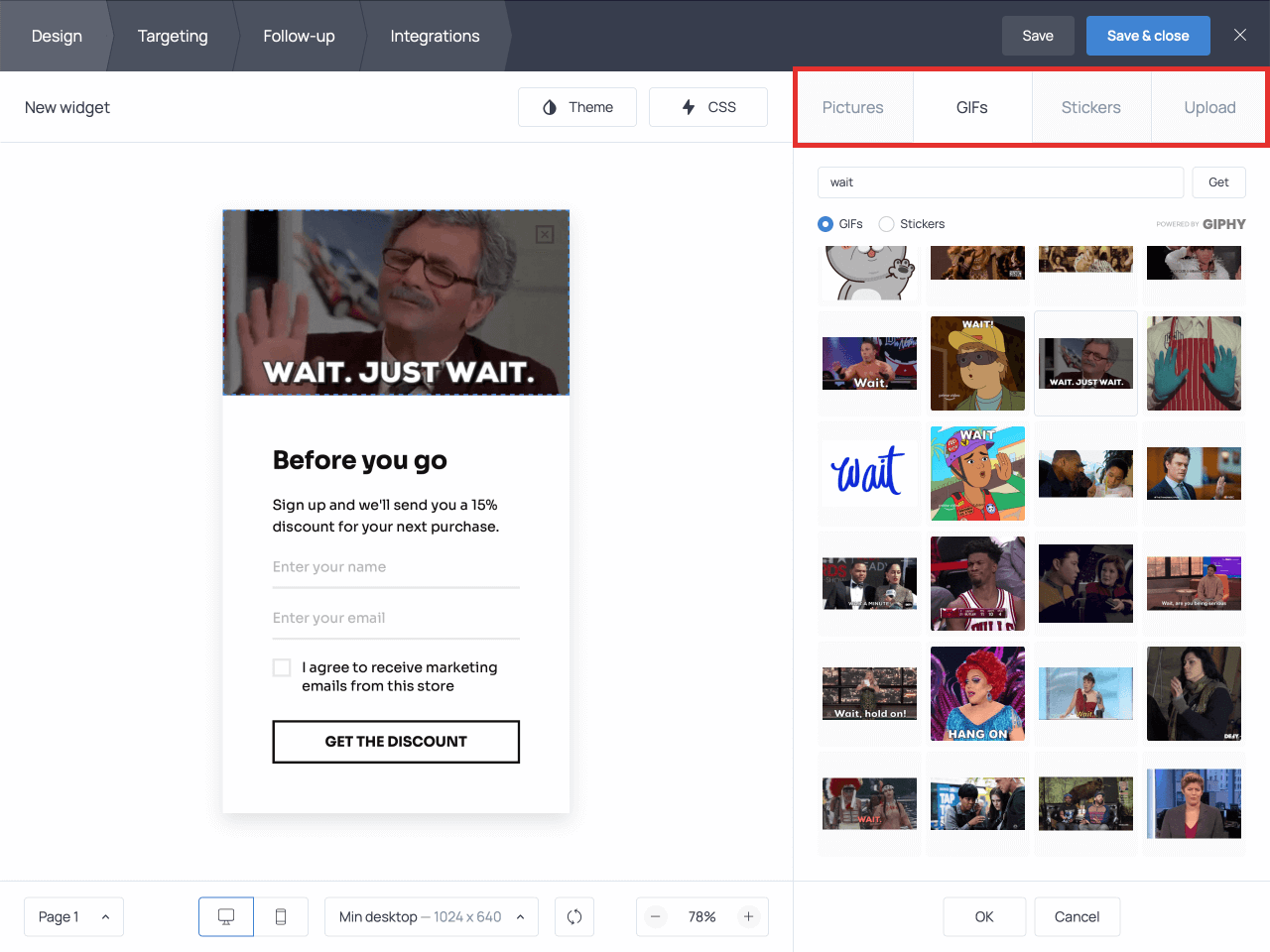
- Use of Visual Cues: Use visual cues, such as a highlighted box or a contrasting color, to draw attention to the discount offer. Consider using an animated GIF or a countdown timer to create a sense of urgency.
- Easy-to-Use Coupon Codes: If you’re using coupon codes, make them easy to copy and paste on mobile devices. Ensure the code is large enough to read and the copy button is readily accessible.
- Mobile-Optimized Landing Pages: Ensure that the landing page where the discount is applied is also mobile-optimized. The user should be able to seamlessly complete the purchase on their mobile device.
Designing a Seamless User Experience for Mobile Shoppers
Creating a seamless user experience is paramount to maximizing conversions from abandoned cart emails on mobile.
- Fast Loading Times: Optimize the landing page and website for fast loading times. Mobile users are less patient and are more likely to abandon a page that takes too long to load. Compress images, minify code, and leverage browser caching.
- Simplified Checkout Process: Simplify the checkout process as much as possible. Minimize the number of form fields and offer options like guest checkout or one-click payment methods.
- Mobile-Friendly Navigation: Ensure the website navigation is easy to use on mobile devices. Use a clear and intuitive menu structure, and make sure the navigation elements are large enough to tap.
- Responsive Design Throughout: The entire website, not just the landing page, should be responsive and adapt to different screen sizes.
- Considerations for Touch Interaction: Design for touch interaction. Make sure all interactive elements, such as buttons and links, are large enough and spaced appropriately to be easily tapped. Avoid elements that require precise mouse hovering.
- Payment Options: Offer a variety of payment options, including mobile-friendly payment methods like Apple Pay and Google Pay, to cater to mobile users.
- Testing and Iteration: Continuously test the entire user experience on mobile devices and iterate based on user feedback and analytics data. Pay attention to metrics such as bounce rate, conversion rate, and time on site to identify areas for improvement.
Avoiding Common Pitfalls
Implementing an abandoned cart discount strategy can be highly effective, but it’s essential to be aware of potential pitfalls that could undermine its success. By proactively addressing these issues, you can maximize your conversion rates and avoid damaging your brand reputation. This section focuses on the most common traps and provides actionable solutions.
Avoiding Spam Perception
Sending too many emails or offering irrelevant discounts can quickly lead to customers perceiving your communications as spam. This can result in unsubscribes, negative brand sentiment, and even blacklisting by email providers.To avoid this:
- Respect Frequency Limits: Avoid overwhelming customers with excessive emails. Implement a clear schedule, such as one email 1 hour after abandonment, another 24 hours later (if the first wasn’t effective), and perhaps a final one 72 hours later. Monitor open and click-through rates to refine your schedule.
- Segment Your Audience: Don’t treat all abandoned carts the same. Segment customers based on their purchase history, the value of the abandoned cart, or the products they viewed. Tailor your discount offers to match their specific interests and needs. For example, offer a higher discount on a high-value cart.
- Provide Value Beyond the Discount: While discounts are effective, they shouldn’t be the sole focus. Include helpful information in your emails, such as product reviews, related product recommendations, or shipping updates. This adds value and makes your emails more engaging.
- Personalize Your Emails: Use the customer’s name, mention the specific products they left in their cart, and reference their browsing history. Personalization makes the emails feel less generic and more relevant.
- Offer an Easy Unsubscribe Option: Make it incredibly easy for customers to unsubscribe from your emails. A clear “unsubscribe” link in the footer of every email is essential. This builds trust and ensures you’re only communicating with engaged subscribers.
Handling Serial Cart Abandoners
Some customers may repeatedly abandon carts to trigger discounts. While it’s impossible to completely prevent this, there are strategies to mitigate the impact.Here’s how to manage serial cart abandoners:
- Implement Frequency Capping: Limit the number of abandoned cart discount emails a customer receives within a specific timeframe (e.g., one discount per month). This prevents abuse.
- Analyze Abandonment Behavior: Track customers who frequently abandon carts. Identify patterns in their behavior, such as the products they abandon or the timing of their abandonments. This data can inform your strategy.
- Offer Varying Discounts: Instead of always offering the same discount, experiment with different offers. You could start with a small discount and gradually increase it, or offer free shipping instead of a percentage discount.
- Consider a Minimum Purchase Requirement: To prevent small cart abandonments, set a minimum purchase value for discount eligibility. This encourages customers to spend a certain amount to qualify for the offer.
- Use Dynamic Discount Codes: Generate unique discount codes for each customer. This makes it harder for them to share the code and potentially abuse the system.
Legal Considerations
Navigating the legal landscape of e-commerce, especially when using abandoned cart discounts, is crucial to avoid penalties and maintain customer trust. Understanding and adhering to regulations ensures your business operates ethically and legally. This section will Artikel the essential legal requirements related to email marketing, data privacy, and anti-spam laws.
Email Marketing Legal Requirements
Email marketing is a powerful tool for recovering abandoned carts, but it’s heavily regulated. Failure to comply with these regulations can result in hefty fines and damage to your brand reputation.The primary legal requirements for email marketing include:
- Obtaining Consent: You must obtain explicit consent from customers before sending them marketing emails. This means they must actively opt-in, for example, by checking a box that isn’t pre-checked. Implicit consent, such as pre-ticked boxes, is generally not sufficient.
- Providing an Unsubscribe Option: Every marketing email must include a clear and conspicuous unsubscribe link. This allows recipients to easily opt-out of future emails. The unsubscribe process should be straightforward and effective.
- Identifying Yourself: You must clearly identify yourself and your business in every email. This includes your business name, physical address, and contact information.
- Honesty and Transparency: Your email content must be honest and not misleading. Avoid using deceptive subject lines or making false claims about your products or services.
For example, if you are using an abandoned cart discount email, ensure the discount terms are clearly stated and easy to understand. Do not hide the expiration date or any limitations of the offer.
Data Privacy Regulations
Data privacy regulations, such as GDPR (General Data Protection Regulation) in Europe and CCPA (California Consumer Privacy Act) in the United States, significantly impact how you collect, store, and use customer data. Non-compliance can lead to substantial fines.Key aspects of data privacy regulations include:
- Data Minimization: Only collect the data necessary for the specific purpose. Don’t collect more information than you need.
- Purpose Limitation: Data should only be used for the purpose for which it was collected. If you want to use it for another purpose (like sending marketing emails), you generally need new consent.
- Data Security: Implement appropriate security measures to protect customer data from unauthorized access, loss, or misuse. This includes encryption, access controls, and regular security audits.
- Right to Access and Erasure: Customers have the right to access their data and request its deletion. You must provide a mechanism for customers to exercise these rights.
- Transparency: Be transparent about how you collect, use, and share customer data. Provide a clear and concise privacy policy.
For instance, when using abandoned cart tracking, you must inform customers in your privacy policy that you are tracking their activity and collecting data. This should also explain how this data is used (e.g., to personalize the discount offer).
Anti-Spam Law Compliance
Anti-spam laws, such as the CAN-SPAM Act in the United States, set rules for commercial email. Compliance is essential to avoid penalties and maintain a good sender reputation.Key requirements for complying with anti-spam laws include:
- Accurate Header Information: Ensure that your “from,” “to,” and “reply-to” email addresses are accurate and identify your business.
- Clear Subject Lines: The subject line must accurately reflect the content of the email. Avoid deceptive subject lines.
- Physical Postal Address: Include your valid physical postal address in every email.
- Unsubscribe Mechanism: Provide a clear and easy-to-use unsubscribe mechanism.
- Prompt Processing of Unsubscribe Requests: Honor unsubscribe requests promptly (typically within 10 business days).
- No Harvesting or Dictionary Attacks: Do not harvest email addresses from websites or use dictionary attacks to generate email addresses.
The CAN-SPAM Act, for example, requires that the email body clearly state the sender’s identity, provide a physical postal address, and include a functioning unsubscribe link. Failure to comply can result in penalties of up to $46,517 per violation.
Advanced Strategies and Techniques
Now that you’ve mastered the fundamentals of abandoned cart discounts, it’s time to explore more sophisticated strategies to maximize your recovery rate and boost conversions. These advanced techniques focus on personalization, urgency, and strategic discount structuring to create highly effective campaigns that resonate with your customers. By implementing these tactics, you can significantly improve your bottom line and turn abandoned carts into valuable sales.
Offering Tiered Discounts Based on Purchase Value
Tiered discounts provide an incentive for customers to increase their order value, leading to a higher average order value (AOV) and potentially more revenue. This approach involves offering different discount percentages or dollar amounts based on the total value of the items in the abandoned cart.To implement tiered discounts, consider the following:
- Define Tiers: Determine the purchase value thresholds for each discount tier. This requires analyzing your historical data to identify common spending patterns and set realistic goals. For example:
- Tier 1: Spend $50 – $99.99, get 10% off
- Tier 2: Spend $100 – $149.99, get 15% off
- Tier 3: Spend $150+, get 20% off
- Set Discount Amounts: Choose appropriate discount percentages or fixed amounts for each tier. The discounts should be appealing enough to encourage customers to complete their purchase, but still profitable for your business.
- Communicate Clearly: Clearly communicate the tiered discount structure in your abandoned cart emails. Highlight the potential savings and the value threshold needed to unlock each discount. Use clear and concise language to avoid confusion.
- Test and Optimize: Continuously monitor the performance of your tiered discount strategy. Track the conversion rates, AOV, and revenue generated by each tier. Make adjustments to the discount amounts or value thresholds as needed to optimize your results.
For example, a customer with $80 worth of items in their cart might receive an email stating, “Complete your order and save 10%! Or, add just $20 more to your cart and save 15%!” This encourages them to browse and add more items to reach the next tier.
Personalizing Discount Offers Based on Customer Behavior
Personalization goes beyond simply addressing the customer by name. It involves tailoring your discount offers based on their past purchase history, browsing behavior, and other relevant data. This makes the offer more relevant and increases the likelihood of conversion.Consider these techniques for personalizing discount offers:
- Purchase History: Offer discounts on products related to the items previously purchased. If a customer abandoned a cart containing running shoes, you could offer a discount on running socks or apparel.
- Browsing Behavior: Analyze which products the customer viewed before abandoning the cart. Offer a discount specifically on those items. This demonstrates that you understand their interests.
- Customer Segmentation: Segment your customers based on their purchase frequency, lifetime value, or other criteria. Offer different discount levels to different segments. For example, offer a higher discount to VIP customers.
- Product Category: If a customer abandoned a cart with items from a specific category, offer a discount on products within that category. This targets their specific interests.
- Dynamic Content: Use dynamic content in your emails to personalize the discount offer based on the customer’s cart contents. This ensures the offer is always relevant.
For example, if a customer has previously purchased a specific brand of skincare products, you could offer a discount on other products from the same brand. This shows that you pay attention to the customer’s preferences.
Incorporating Urgency and Scarcity into Discount Emails
Creating a sense of urgency and scarcity can significantly boost the effectiveness of your abandoned cart discount emails. By limiting the time or availability of the discount, you encourage customers to act quickly and complete their purchase.Here’s how to incorporate urgency and scarcity:
- Time-Limited Discounts: Set a time limit for the discount offer. Clearly state how long the discount is valid (e.g., “This discount expires in 24 hours”). Use a countdown timer in your email to visually reinforce the deadline.
- Limited-Quantity Discounts: If you have a limited supply of a product, mention this in your email. For example, “Get 20% off, while supplies last!” This creates a sense of scarcity.
- Exclusive Offers: Offer discounts that are only available to abandoned cart users. This makes the offer more special and encourages them to take advantage of it.
- Highlight Popularity: If a product is popular or selling quickly, mention this in your email. For example, “These popular shoes are selling fast! Don’t miss out on your discount.”
- Combination: Combine time-limited discounts with limited quantities or exclusive offers for maximum impact.
For example, you could send an email stating, “Your 15% discount expires in 6 hours! Don’t miss out on these top-selling items.” This creates a sense of urgency and encourages the customer to act quickly.
Examples of Successful Abandoned Cart Campaigns
Implementing abandoned cart email campaigns can significantly boost revenue by re-engaging potential customers. Seeing real-world examples provides invaluable insights into effective strategies. Let’s examine some successful abandoned cart campaigns, detailing their discounts, email copy, and the impressive results they achieved.
Case Studies of Effective Abandoned Cart Strategies
Understanding how different businesses approach abandoned cart recovery is crucial for developing a successful strategy. The following case studies showcase various approaches and their impact on conversion rates and revenue.
| Business Name | Discount Offered | Email Copy Snippet | Results |
|---|---|---|---|
| Brooklinen | 10% off | “Hey [Customer Name], Still thinking about it? Your Brooklinen essentials are waiting. Get 10% off your order today.” | Increased conversion rates by 20% and recovered a significant portion of abandoned sales. |
| ASOS | Free Shipping | “Hey [Customer Name], Your basket is waiting! Complete your order now and get free shipping.” | Boosted revenue by 15% and significantly reduced cart abandonment rates. |
| Dollar Shave Club | Free Razor | “Hey [Customer Name], Forget something? Complete your order and get a free razor with your first shipment.” | Improved conversion rates by 18% and increased customer acquisition. |
| Sephora | Free Gift with Purchase | “Hi [Customer Name], Don’t miss out! Your beauty faves are waiting. Complete your order and receive a free deluxe sample.” | Increased conversion rates by 12% and boosted average order value. |
Creating Visual Aids
Visual aids are critical for effectively communicating the value of abandoned cart discount strategies. They simplify complex processes, highlight key benefits, and present data in an easily digestible format. Well-designed visuals enhance understanding and increase engagement, making your message more persuasive.
Illustration: Customer Journey from Cart Abandonment to Purchase
An illustration depicting the customer’s journey should visually narrate the process, from cart abandonment to a successful purchase, using a clear and engaging format.The illustration begins with a customer browsing a website on a laptop, adding items to their shopping cart. The next scene shows the customer at the checkout, but for some reason, they don’t complete the purchase and abandon the cart.
The illustration then shows an automated email being triggered, with the subject line “Still interested in your items?”. Inside the email, there’s a personalized message, perhaps including a picture of the abandoned items and a clear call to action, offering a discount. The customer, enticed by the offer, clicks the link in the email. The illustration then shows the customer returning to the website, completing the purchase with the applied discount.
Finally, the illustration shows a happy customer receiving their order, with a speech bubble saying, “Thank you for the great deal!” The background should be clean and uncluttered, using colors that align with the brand’s identity. The illustration should emphasize the seamless transition and the positive outcome of the abandoned cart discount strategy.
Infographic: Benefits of Using Abandoned Cart Discounts
An infographic summarizing the benefits of abandoned cart discounts provides a quick overview of the advantages, using concise text and visually appealing elements.The infographic should feature several key sections, each highlighting a specific benefit. The first section should focus on “Increased Revenue,” illustrated with a rising bar graph showing an increase in sales. Text alongside the graph could read, “Recapture lost sales and boost overall revenue.” The second section should highlight “Improved Conversion Rates,” depicted with a funnel, showing an increase in the number of customers moving through the sales process.
The text might say, “Convert more browsers into buyers by incentivizing them to complete their purchase.” The third section could emphasize “Enhanced Customer Engagement,” visualized with an image of a customer smiling while receiving an email. The accompanying text could read, “Stay connected with your customers and build brand loyalty.” The fourth section should showcase “Reduced Cart Abandonment,” illustrated with a shopping cart that is less empty.
The text should state, “Decrease the number of abandoned carts and minimize lost opportunities.” Each section should use a distinct color scheme to differentiate it, with icons representing each benefit. The overall design should be clean, easy to read, and visually appealing, ensuring the information is readily understood.
Chart: Conversion Rate Improvements After Implementing a Discount Strategy
A chart demonstrating the impact of a discount strategy should clearly illustrate the improvement in conversion rates over time.The chart should be a line graph, with the x-axis representing time (e.g., months or weeks) and the y-axis representing the conversion rate (expressed as a percentage). The chart should feature two lines: one representing the conversion rate before the implementation of the abandoned cart discount strategy, and the other representing the conversion rate after implementation.
The “Before” line should start at a lower point, showing the baseline conversion rate. The “After” line should show a noticeable upward trend, demonstrating the improvement in conversion rates. For example, the “Before” line could start at 1.5% and the “After” line could show a rise to 3.5% within the first few weeks. Include data points at key intervals to provide specific examples.
The chart should also include a clear title, such as “Conversion Rate Improvement After Implementing Abandoned Cart Discount,” and labels for both axes. A caption below the chart could provide a brief summary of the findings, such as, “Implementation of the abandoned cart discount strategy resulted in a 2% increase in conversion rates over the first three months.”
Integrating with Different E-commerce Platforms
Integrating your abandoned cart discount strategy with your chosen e-commerce platform is crucial for its success. The process varies depending on the platform you use, but the core principle remains the same: track abandoned carts, identify potential customers, and automatically send them enticing discount offers. This section provides detailed instructions for setting up abandoned cart campaigns on popular platforms like Shopify, WooCommerce, and Magento.
Shopify Setup
Shopify offers built-in functionality and a vast app ecosystem to facilitate abandoned cart recovery. Setting up an abandoned cart discount campaign on Shopify involves configuring the platform’s native features or using third-party apps.
Here’s a step-by-step guide:
- Enable Abandoned Cart Recovery: Navigate to your Shopify admin dashboard. Go to “Settings” > “Notifications”. Scroll down to the “Abandoned Checkout” section. Ensure the “Send abandoned checkout emails” box is checked. This activates Shopify’s basic abandoned cart recovery feature.
- Customize Email Templates: Click on the “Abandoned Checkout” email template. Here, you can customize the email subject, body, and branding to match your store’s aesthetic. Shopify allows for basic personalization, such as including the customer’s name and the items left in their cart.
- Set Email Timing: Determine when the abandoned cart emails are sent. Shopify allows you to send emails after a specific delay (e.g., 1 hour, 24 hours). Experiment with different timings to see what yields the best results.
- Add a Discount Code (Optional, but recommended): Within the email template, include a discount code to incentivize customers to complete their purchase. You’ll need to create this discount code in the “Discounts” section of your Shopify admin. Consider offering a percentage discount or a fixed amount off.
Pro-Tip: Use unique, trackable discount codes specifically for abandoned cart recovery to accurately measure the campaign’s effectiveness.
- Choose an App (for advanced features): While Shopify’s native feature is a good starting point, consider using a dedicated abandoned cart app for more advanced features like:
- A/B testing of email subject lines and content.
- Multiple email sequences.
- SMS notifications.
- Advanced segmentation based on cart value or customer behavior.
Popular Shopify apps include Klaviyo, Omnisend, and Abandoned Cart Recovery.
- Configure App Settings: If using an app, follow the app’s setup instructions. This typically involves connecting the app to your Shopify store and configuring the email templates, discount offers, and email sending schedule.
- Test Your Campaign: Before launching your campaign, test it thoroughly by abandoning a cart yourself. Ensure that the emails are being sent correctly, the discount codes are working, and the links in the emails direct customers to the correct product pages.
- Analyze and Optimize: After launching your campaign, regularly monitor its performance in the Shopify admin or the app’s dashboard. Track metrics such as:
- Conversion rates (the percentage of abandoned carts that result in a purchase).
- Revenue generated from the campaign.
- Open rates and click-through rates of your emails.
Use these insights to optimize your email content, discount offers, and email sending schedule.
WooCommerce Setup
WooCommerce, the popular e-commerce plugin for WordPress, offers a variety of plugins to facilitate abandoned cart recovery. Here’s how to set it up.
Setting up abandoned cart recovery in WooCommerce typically involves installing and configuring a dedicated plugin.
- Choose an Abandoned Cart Plugin: Several plugins are available in the WordPress plugin repository. Some popular choices include:
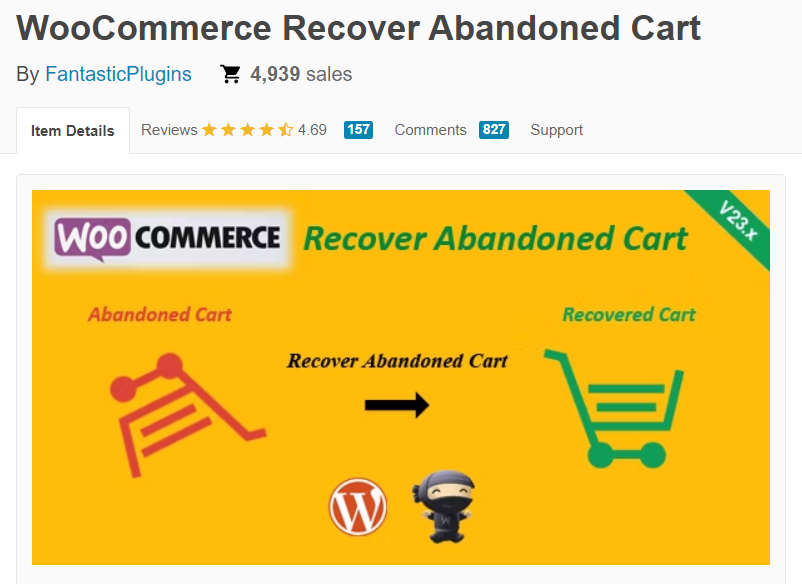
- WooCommerce Recover Abandoned Cart
- Abandoned Cart Lite for WooCommerce
- Retainful – Abandoned Cart Recovery
Consider factors like features, pricing, and user reviews when selecting a plugin.
- Install and Activate the Plugin: In your WordPress admin dashboard, go to “Plugins” > “Add New”. Search for your chosen abandoned cart plugin, install it, and activate it.
- Configure Plugin Settings: After activation, navigate to the plugin’s settings page (usually found in the WooCommerce settings or as a separate menu item). The specific settings will vary depending on the plugin, but generally, you’ll need to configure:
- Email Templates: Customize the email subject, body, and branding of the abandoned cart emails. Most plugins allow for personalization, such as including the customer’s name and the items left in their cart.
- Email Timing: Set the timing of the email sending schedule (e.g., 1 hour, 24 hours). Experiment with different timings to find what works best for your audience.
- Discount Codes: Many plugins allow you to create and automatically include discount codes in the abandoned cart emails. Configure the discount type (percentage or fixed amount), the discount amount, and any restrictions (e.g., minimum order value).
- Email Sending Method: Configure how the emails are sent (e.g., using the WordPress built-in function, SMTP, or a third-party email service).
- Tracking and Reporting: Enable tracking and reporting features to monitor the campaign’s performance.
- Create Discount Codes (if applicable): If your plugin allows you to generate discount codes, create them in the plugin’s settings. Make sure the discount codes are unique and trackable.
- Test Your Campaign: Abandon a cart on your WooCommerce store to ensure the emails are being sent correctly, the discount codes are working, and the links in the emails direct customers to the correct product pages.
- Analyze and Optimize: Monitor the plugin’s dashboard for key metrics such as:
- Conversion rates.
- Revenue generated.
- Email open rates and click-through rates.
Use these insights to refine your email content, discount offers, and email sending schedule.
Magento Integration
Magento, a robust e-commerce platform, offers a range of options for implementing abandoned cart recovery, from built-in features to third-party extensions.
Magento provides both native functionalities and extensions to implement abandoned cart discount campaigns. The approach depends on your Magento version and specific requirements.
- Magento 2 (Native Features): Magento 2 has built-in abandoned cart email functionality.
- Enable Abandoned Cart Emails: In the Magento admin panel, go to “Stores” > “Configuration” > “Customers” > “Abandoned Cart Emails”. Set “Enable Abandoned Cart Emails” to “Yes”.
- Configure Email Settings: Customize the email sender, email template, and email sending schedule. You can also set up a discount code to be included in the email.
- Create Discount Codes: Generate discount codes in the “Marketing” > “Cart Price Rules” section. These codes can be applied to the abandoned cart emails.
- Magento 1 (Extensions): Magento 1 typically relies on third-party extensions for abandoned cart recovery.
- Choose an Extension: Popular Magento 1 abandoned cart extensions include:
- Abandoned Cart Alerts Pro
- Follow Up Email
- Amasty Abandoned Cart Email
Consider features, pricing, and reviews when selecting an extension.
- Install and Configure the Extension: Follow the installation instructions provided by the extension developer. This typically involves uploading the extension files to your Magento store and configuring the extension’s settings in the admin panel.
- Customize Email Templates and Settings: Configure the email templates, email sending schedule, and discount offers within the extension’s settings.
- Create Discount Codes (if applicable): If the extension allows, generate discount codes within the extension or the Magento admin panel.
- Choose an Extension: Popular Magento 1 abandoned cart extensions include:
- Testing the Campaign: After setting up the campaign, test it by abandoning a cart on your Magento store. Verify that the emails are being sent correctly, the discount codes are working, and the links in the emails direct customers to the correct product pages.
- Analyzing and Optimizing: Regularly monitor the performance of your abandoned cart campaign in the Magento admin panel or the extension’s dashboard. Track metrics such as:
- Conversion rates.
- Revenue generated.
- Email open rates and click-through rates.
Use this data to optimize your email content, discount offers, and email sending schedule.
Customer Segmentation for Targeted Discounts
Understanding your customers is crucial for effective abandoned cart strategies. By segmenting your audience, you can tailor your discount offers to resonate with specific groups, increasing the likelihood of conversions and maximizing your return on investment. This targeted approach ensures you’re not offering blanket discounts that might erode your profit margins. Let’s explore some effective segmentation methods.
Segmenting Based on Product Categories
Segmenting based on the product categories in abandoned carts allows you to personalize your discount offers to match the customer’s interests. This method increases relevance and conversion rates.
- Identify the Categories: First, define the product categories in your e-commerce store. This could be based on product type (e.g., clothing, electronics), brand, or any other relevant classification.
- Track Category Abandonment: Implement tracking to identify the product categories present in each abandoned cart. Most e-commerce platforms offer this functionality.
- Create Segment-Specific Discounts: Design discounts that align with the abandoned product categories. For example:
- If a customer abandoned a cart with items from the “shoes” category, offer a discount specifically on shoes or a related category like socks or shoe care products.
- If a customer abandoned items from the “laptops” category, you might offer a discount on laptop accessories or extended warranties.
- Example: Imagine an online clothing store. A customer abandons a cart containing a pair of jeans and a t-shirt. The triggered email could offer a 15% discount specifically on denim or a “complete the look” offer, suggesting other complementary items.
Segmenting Based on the Total Value of Items
Segmenting customers based on the total value of the items left in their cart allows for tiered discount strategies, maximizing the potential revenue from each abandoned cart. This method recognizes that customers with higher-value carts might be more sensitive to discounts.
- Define Value Tiers: Create tiers based on the total cart value. Examples include:
- Low Value: Under $50
- Medium Value: $50 – $100
- High Value: Over $100
- Implement Tiered Discounts: Offer different discount percentages based on the cart value tier.
- Low-value carts: Offer a smaller discount, like 10%.
- Medium-value carts: Offer a moderate discount, like 15%.
- High-value carts: Offer a more significant discount, like 20%, or even free shipping.
- Example: A customer abandons a cart with items totaling $30. The email could offer a 10% discount. Another customer abandons a cart with items totaling $150; they might receive a 20% discount and free shipping.
- Track Conversion Rates: Continuously monitor the conversion rates for each tier to refine your discount strategy. This data helps optimize the discount percentages for maximum effectiveness.
Segmenting Based on Customer Lifetime Value
Segmenting based on Customer Lifetime Value (CLTV) is a powerful strategy for prioritizing your most valuable customers. CLTV represents the predicted revenue a customer will generate throughout their relationship with your business.
- Calculate CLTV: Use a CLTV formula to estimate each customer’s value. The formula can vary based on your business model, but it generally involves:
CLTV = (Average Order Value) x (Purchase Frequency) x (Customer Lifespan)
Or, if you have access to more granular data, you could use a more complex formula.
- Segment Customers: Group customers into CLTV tiers (e.g., Low, Medium, High).
- Prioritize Discounts: Offer more attractive discounts to customers with higher CLTV.
- High-CLTV customers: These customers should receive the most compelling offers. This could include higher discount percentages, exclusive access to sales, or personalized product recommendations.
- Medium-CLTV customers: Offer moderate discounts to encourage further purchases.
- Low-CLTV customers: Offer standard discounts, and consider focusing on upselling or cross-selling to increase their order value.
- Example: A customer with a high CLTV, who frequently purchases high-value items, abandons a cart. The email could offer a 25% discount and free expedited shipping, while a new customer with a low CLTV might receive a standard 10% discount.
- Consider Loyalty Programs: Integrate abandoned cart emails with your loyalty program. Offer bonus points or exclusive discounts to loyal customers who abandon their carts. This strengthens the customer relationship and encourages repeat purchases.
Closure
In conclusion, mastering the art of abandoned cart discounts can significantly boost your e-commerce revenue. By understanding the customer journey, implementing strategic discounts, and automating your process, you can recapture lost sales and cultivate customer loyalty. Remember to continuously analyze your results, optimize your approach, and stay compliant with all legal requirements. Armed with these strategies, you’re well-equipped to turn abandoned carts into a thriving source of income for your online business.
Now go forth and reclaim those sales!