How to Build a Smart Home on a Budget opens the door to a world of connected convenience, transforming your living space into a technologically advanced haven. It’s no longer a futuristic fantasy reserved for the wealthy; with careful planning and smart choices, you can create a smart home experience that fits your financial comfort zone.
This guide dives into the essentials, from defining what “smart” means in the context of affordability to selecting the right devices and hubs. We’ll explore budget-friendly options for lighting, thermostats, security, and automation, empowering you to create a personalized smart home ecosystem without breaking the bank. You’ll learn how to assess your current setup, choose compatible devices, and even tackle some DIY projects to maximize your savings.
Defining “Smart Home” on a Budget
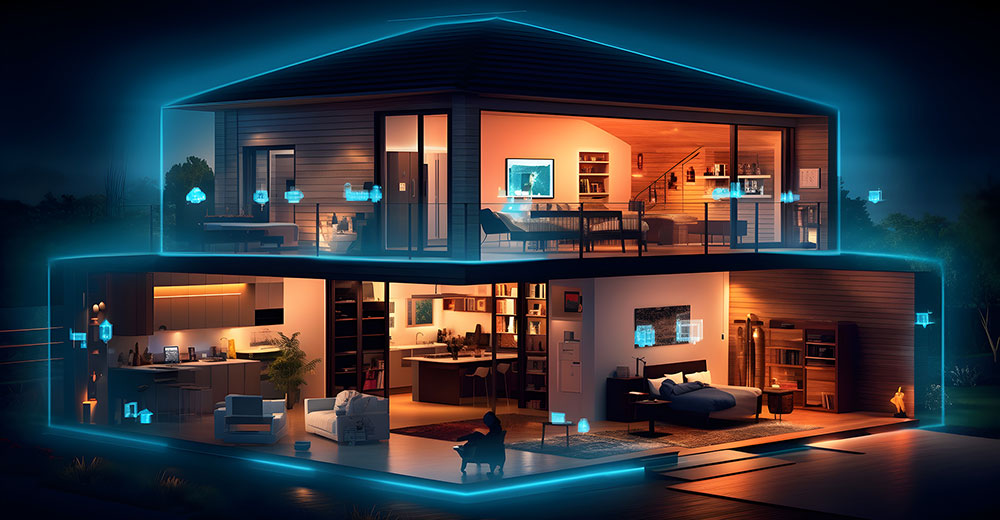
Building a smart home doesn’t have to break the bank. The term “smart home” encompasses a range of technologies that automate and control various aspects of your living space, enhancing convenience, security, and energy efficiency. On a budget, it’s about prioritizing essential features and selecting affordable devices that deliver the most impact for the least cost. This section will clarify what a “smart home” means in this context, focusing on achievable functionalities and differentiating between basic and advanced setups.
Core Smart Home Functionalities on a Budget
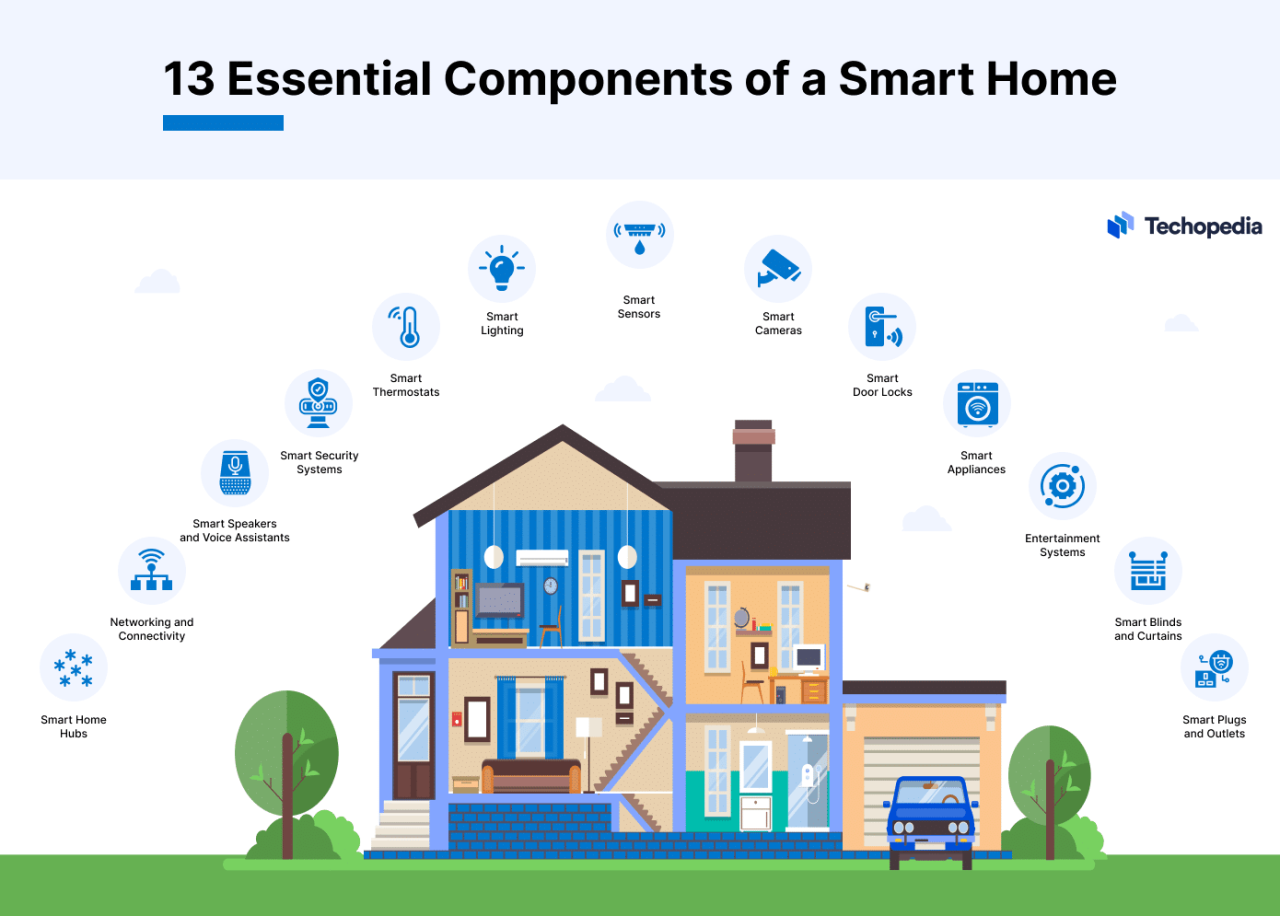
A budget-friendly smart home focuses on integrating key functionalities that provide the greatest value. These often involve automation and remote control capabilities. Here’s a breakdown of common features achievable without significant investment:
- Smart Lighting: This is often the starting point. Smart bulbs, like those from brands such as Philips Hue (though the full system can be pricey) or more affordable options like those from Wyze or TP-Link Kasa, allow you to control lights remotely, set schedules, and adjust brightness. This can significantly reduce energy consumption and add convenience. A typical smart bulb might cost between $10-$20.
- Smart Plugs: These devices plug into standard outlets and allow you to control any connected appliance. You can turn lamps, coffee makers, or other devices on or off remotely or schedule them to operate at specific times. Brands like TP-Link Kasa and Amazon Smart Plug offer reliable and budget-friendly options, often priced between $10-$25 per plug.
- Smart Security: Basic smart security can include smart doorbells (Ring, Eufy) and security cameras (Wyze, Blink). These devices provide remote viewing, motion detection alerts, and two-way communication. A basic smart doorbell can be found for under $100, while security cameras can range from $25-$50 each.
- Smart Assistants: Devices like Amazon Echo Dot or Google Nest Mini serve as the central hub for your smart home, enabling voice control of connected devices. They also provide access to information, music streaming, and other services. These are very affordable, typically priced between $30-$50.
- Smart Thermostat: Although slightly more expensive, a smart thermostat (like the Google Nest Thermostat or Ecobee Lite) can save money on energy bills by learning your habits and automatically adjusting the temperature. These can be found starting around $100.
Basic vs. Advanced Smart Home Setups and Cost Differences
The level of sophistication and the corresponding cost increase as you move from a basic to an advanced smart home setup. Understanding this difference is crucial for budget planning.
A basic smart home focuses on essential functionalities and utilizes affordable devices.
Consider the following:
- Devices: Primarily smart bulbs, smart plugs, a smart speaker, and a basic smart doorbell.
- Control: Primarily through voice commands and smartphone apps.
- Automation: Simple schedules and basic automations, such as turning lights on at sunset.
- Cost: Typically, an initial investment of a few hundred dollars. For example, a basic setup with a smart speaker, a few smart bulbs, a smart plug, and a smart doorbell could cost around $200-$300.
An advanced smart home offers more complex integrations and advanced features.
This includes:
- Devices: Includes everything in the basic setup, plus more sophisticated security systems, smart locks, smart appliances, advanced lighting systems, and potentially whole-house audio.
- Control: Includes more advanced voice control, integration with home automation platforms like Home Assistant or Hubitat, and potentially touch screen control panels.
- Automation: More complex automations based on sensors, geofencing, and other triggers. This could include things like automatically locking doors at a certain time, adjusting the thermostat based on occupancy, or turning on the lights when motion is detected.
- Cost: Significantly higher, potentially running into thousands of dollars depending on the scope. For example, a fully integrated system with smart appliances, a high-end security system, and advanced lighting could easily cost $5,000 or more.
The key to a budget-friendly smart home is starting small, focusing on essential features, and gradually expanding your system as your needs and budget allow. Prioritizing features that offer the greatest impact on convenience and efficiency is essential.
Planning and Preparation
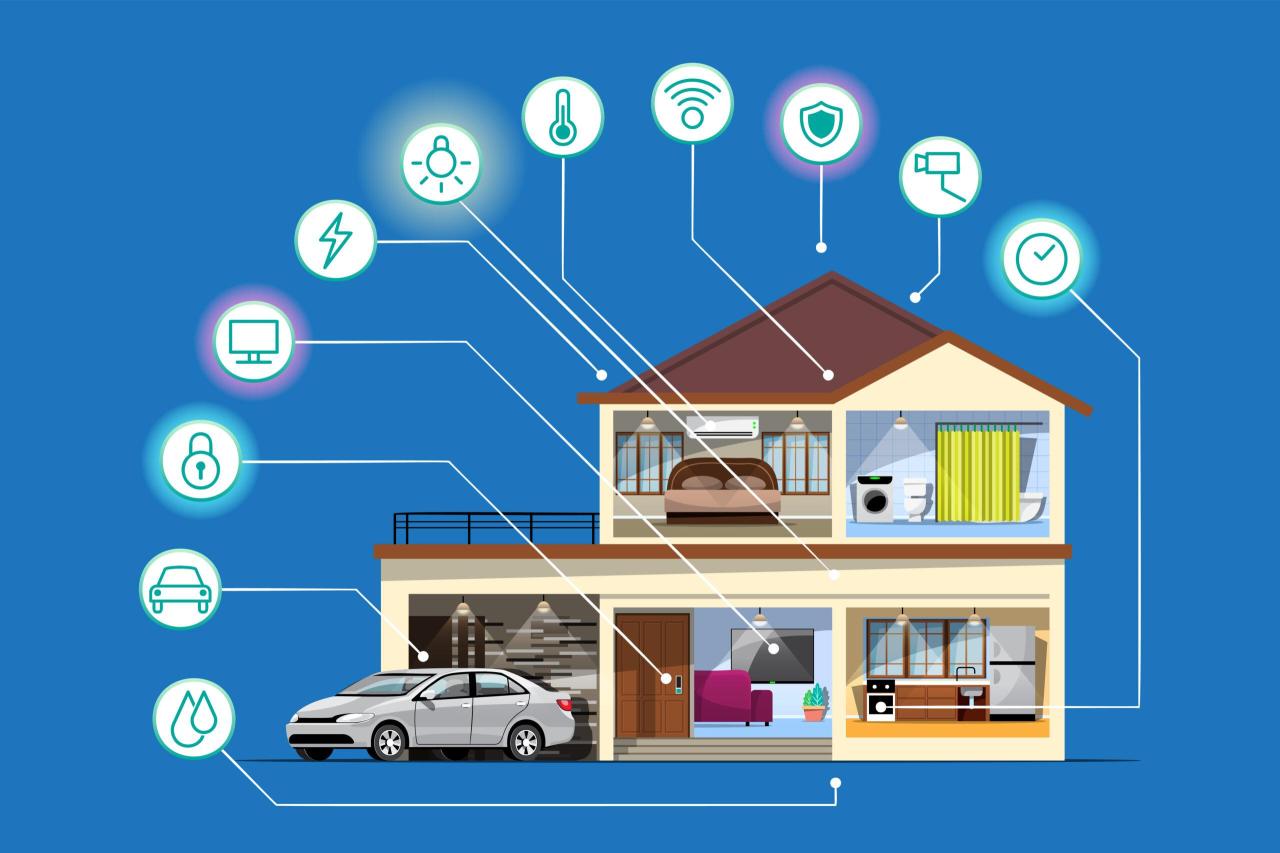
Building a smart home on a budget requires careful planning. This stage is crucial for avoiding costly mistakes and ensuring a smooth and successful implementation. A well-defined plan will guide your project, help you prioritize needs, and ultimately save you money.
Essential Steps for Planning a Budget-Friendly Smart Home Project
Before diving into the exciting world of smart home technology, it’s essential to establish a solid plan. This includes defining your goals, setting a budget, and researching available options.
- Define Your Smart Home Goals: Determine what you want your smart home to achieve. Do you want to automate lighting, enhance security, improve energy efficiency, or simply add convenience? Creating a list of desired functionalities helps focus your efforts. For example, a family might prioritize smart locks and security cameras for peace of mind, while a single homeowner might focus on automated lighting and climate control for convenience.
- Set a Realistic Budget: Decide how much you’re willing to spend. Research the costs of different smart home devices and factor in potential installation expenses. Consider breaking down the project into phases to spread the cost over time. For instance, you might start with smart lighting in the living room and kitchen, then expand to other areas later.
- Research Smart Home Devices and Compatibility: Explore the various smart home devices available, considering their features, compatibility with other devices, and cost. Familiarize yourself with different smart home protocols, such as Wi-Fi, Zigbee, and Z-Wave, as they impact device interoperability. Look for devices that work well together and meet your needs.
- Assess Your Home’s Infrastructure: Evaluate your existing internet connection, electrical wiring, and home layout to identify potential challenges and necessary upgrades. This helps avoid unexpected costs later.
- Prioritize Your Smart Home Features: Determine which smart home features are most important and implement them first. This approach allows you to allocate your budget effectively and experience the benefits of a smart home sooner. For example, if home security is a priority, start with smart locks and security cameras.
- Choose a Smart Home Platform (Optional): Decide whether to use a centralized smart home platform like Google Home, Amazon Alexa, or Apple HomeKit. These platforms simplify device management and control. However, you can still create a smart home without one, especially if you prefer a more modular approach.
- Plan for Future Expansion: Consider how your smart home needs might evolve over time. Choose devices and platforms that offer scalability and allow for easy upgrades. For example, select smart bulbs that can be controlled individually or in groups, allowing you to add more lights as needed.
Assessing Current Home Infrastructure for Smart Home Compatibility
Before purchasing any smart home devices, it’s crucial to assess your home’s infrastructure. This involves evaluating your internet connection, electrical wiring, and home layout to ensure compatibility and identify any necessary upgrades. This proactive step prevents compatibility issues and ensures optimal performance.
- Internet Connection: A reliable internet connection is essential for most smart home devices. Assess your current internet speed and bandwidth. A slow or unstable connection can lead to lag, connectivity issues, and frustrating user experiences. For instance, if you plan to use multiple smart devices simultaneously, such as security cameras, smart TVs, and smart speakers, a faster internet plan is advisable.
Consider testing your internet speed using online tools to determine its performance.
- Wi-Fi Coverage: Evaluate your Wi-Fi coverage throughout your home. Many smart home devices rely on Wi-Fi to connect to the internet. Identify any dead zones or areas with weak signals. Consider using a Wi-Fi extender or mesh network system to improve coverage if needed. A mesh network, consisting of multiple access points, ensures a strong and consistent Wi-Fi signal throughout the entire house.
- Electrical Wiring: Examine your electrical wiring to ensure it meets the requirements of smart home devices. Older homes might have outdated wiring that could be a safety hazard. If you’re unsure about your wiring, consult a qualified electrician.
- Electrical Outlets: Check the number and placement of electrical outlets. Smart plugs and other devices might require additional outlets. Consider adding outlets in strategic locations, such as near entryways or in areas where you plan to install smart lighting.
- Home Layout: Assess your home’s layout, including the size, number of rooms, and construction materials. These factors can affect Wi-Fi signal strength and device placement. For example, thick walls can interfere with Wi-Fi signals, so you might need to position Wi-Fi extenders strategically.
Checklist of Questions to Ask Before Purchasing Smart Home Devices
Before investing in any smart home devices, it’s wise to ask yourself a series of questions. This ensures you’re making informed decisions and selecting devices that meet your needs and budget.
- Is the Device Compatible with My Existing Smart Home Ecosystem? Ensure the device is compatible with your chosen smart home platform (Google Home, Amazon Alexa, Apple HomeKit) or other devices you already own. Incompatibility can lead to frustrating integration issues.
- Does the Device Require a Hub? Some devices require a central hub to connect to your network. Determine whether the device needs a hub and whether you’re willing to purchase and manage one. Hubs can add complexity but often improve device performance and compatibility.
- What are the Device’s Security Features? Research the device’s security features, such as encryption, password protection, and two-factor authentication. Prioritize devices with robust security measures to protect your privacy and data.
- What is the Device’s Power Consumption? Consider the device’s power consumption, especially for devices that are always on, such as smart speakers or security cameras. This can affect your electricity bill.
- What is the Device’s Warranty and Customer Support? Check the device’s warranty and customer support options. A good warranty and responsive customer support can be valuable if you encounter any issues.
- Does the Device Offer Remote Control? Verify that the device can be controlled remotely via a smartphone app or other means. This is a key benefit of smart home technology.
- Does the Device Integrate with Other Smart Home Devices? Assess whether the device can interact with other devices in your smart home. Integration allows for automation and enhanced functionality. For example, a smart lock might integrate with your security system to automatically arm the system when the door is locked.
- What are the Ongoing Costs Associated with the Device? Consider any ongoing costs, such as subscription fees for cloud storage or premium features. These costs can add up over time.
- Is the Device Easy to Install and Set Up? Choose devices that are easy to install and set up, especially if you’re a beginner. Look for devices with clear instructions and intuitive interfaces.
- Does the Device Meet My Specific Needs and Requirements? Ensure the device offers the features and functionality you need to achieve your smart home goals. Don’t overspend on features you won’t use.
Choosing Smart Home Devices Wisely
Now that you have a plan, it’s time to dive into the exciting world of smart home devices! Choosing the right devices is crucial for a successful and budget-friendly smart home setup. This section will guide you through the different device categories, explore popular brands, and help you select the best options for your needs and budget.
Comparing Smart Home Device Categories and Price Ranges
Understanding the different categories of smart home devices and their associated price ranges is essential for effective budgeting. Let’s explore some common categories.
- Smart Lighting: Smart bulbs are the most common entry point, with prices ranging from $10-$30 per bulb. Smart light switches and dimmers can cost between $20-$50 each. For example, a Philips Hue White A19 Smart Bulb can be purchased for around $15, while a Lutron Caseta Smart Dimmer Switch might cost around $60.
- Smart Thermostats: These devices typically cost between $100-$250. Popular options include the Google Nest Thermostat, priced around $130, and the ecobee SmartThermostat, which can range from $200-$250 depending on the model and features.
- Smart Plugs: Smart plugs offer a simple way to automate existing appliances. They are relatively inexpensive, usually costing between $10-$30 each. TP-Link Kasa Smart Plugs are often available for around $10-$15, while more advanced models with energy monitoring might cost slightly more.
- Smart Security Cameras: Indoor cameras can be found for as little as $25-$50, while outdoor cameras typically range from $50-$200 or more. Wyze Cam v3 is a popular budget-friendly option at around $30, whereas a higher-end Arlo Pro 4 might cost around $150-$200 per camera.
- Smart Locks: Smart locks range from $100-$300, offering keyless entry and remote access. August Smart Lock Pro often costs around $200-$250, while the Schlage Encode Smart WiFi Deadbolt can be found for about $250-$300.
- Smart Speakers/Displays: These devices serve as a central hub for voice control and entertainment. Prices range from $30 for basic models to $200+ for high-end options with displays. The Amazon Echo Dot starts around $30-$50, while the Amazon Echo Show 10 with a display might cost around $250.
Pros and Cons of Popular Budget-Friendly Smart Home Brands
Several brands excel in providing affordable smart home solutions. Knowing their strengths and weaknesses can help you make informed decisions.
- Wyze: Wyze is known for its affordable smart home devices, particularly cameras.
- Pros: Extremely budget-friendly, wide range of products, easy setup.
- Cons: Limited advanced features compared to premium brands, some reliability issues reported, privacy concerns (user data security).
- TP-Link Kasa: TP-Link offers a reliable selection of smart plugs, switches, and bulbs.
- Pros: Competitive pricing, easy to use, reliable performance, good app support.
- Cons: Limited integration with some smart home platforms, less extensive product range than some competitors.
- Tuya Smart/Treatlife: These brands often provide very affordable smart home devices, especially lighting and plugs, often available through various retailers.
- Pros: Wide selection, very low prices, works with multiple platforms (Alexa, Google Assistant).
- Cons: Quality can be inconsistent, customer support may be limited, some privacy concerns.
- Amazon (Echo devices and Basics): Amazon’s own brand offers competitive pricing, particularly with their Echo devices and smart plugs.
- Pros: Tight integration with Alexa, easy to set up, wide product availability, often on sale.
- Cons: Primarily focused on Amazon’s ecosystem, some privacy concerns.
Smart Home Hub Comparison Table
A smart home hub acts as the central brain of your smart home, connecting and controlling all your devices. Choosing the right hub is crucial for seamless integration and functionality. Here’s a comparison of some popular budget-friendly options.
| Hub | Features | Cost (Approximate) | Compatibility |
|---|---|---|---|
| Amazon Echo (with built-in hub) | Voice control with Alexa, Zigbee hub, music streaming, smart home routines, can be a speaker, and has display (depending on the model). | $30-$250 (depending on the Echo model) | Alexa-compatible devices, Zigbee devices, some Wi-Fi devices, Works with Matter. |
| Google Nest Mini/Hub (with built-in hub) | Voice control with Google Assistant, Thread and Zigbee hub (in some models), music streaming, smart home routines, and display (depending on the model). | $30-$100 (depending on the Nest model) | Google Assistant-compatible devices, some Wi-Fi devices, Works with Matter. |
| Samsung SmartThings Hub (v3) | Zigbee, Z-Wave, and Wi-Fi support, extensive device compatibility, powerful automation capabilities, local processing. | $70-$100 | Zigbee, Z-Wave, and Wi-Fi devices, IFTTT integration. |
| Hubitat Elevation | Local processing for increased reliability and privacy, Zigbee and Z-Wave support, advanced rule engine for complex automations, excellent community support. | $130-$150 | Zigbee and Z-Wave devices. |
Smart Home Hubs and Compatibility
A smart home hub acts as the central brain of your smart home, connecting all your devices and allowing them to communicate with each other. It’s crucial for a budget-friendly smart home setup because it simplifies control, automates tasks, and often consolidates device management, potentially saving you money in the long run by reducing the need for multiple, expensive individual controllers.
This section will delve into the role of smart home hubs, their compatibility with different devices, and how to choose one wisely without breaking the bank.
The Role of a Smart Home Hub
The primary function of a smart home hub is to bridge the gap between your smart devices and your home network. Think of it as a translator and a traffic controller. It receives signals from your smart devices, interprets them, and then sends commands to other devices or performs automated actions. Without a hub, each device would often need its own app and direct connection to your Wi-Fi, leading to a fragmented and less efficient experience.
Compatibility of Smart Home Devices with Various Hubs
Smart home devices use different communication protocols to connect to a hub. Understanding these protocols is essential for choosing compatible devices and a suitable hub. Here are the most common:
- Wi-Fi: Wi-Fi devices connect directly to your home’s Wi-Fi network. This is often the easiest to set up, but it can consume more power and potentially overload your network, especially with many devices. Examples include smart plugs, some smart bulbs, and some security cameras.
- Zigbee: Zigbee is a low-power, mesh networking protocol. Devices create a network where each device can relay signals to others, extending the range and improving reliability. Zigbee devices are often more energy-efficient than Wi-Fi devices. Examples include smart bulbs (like Philips Hue), door/window sensors, and smart locks.
- Z-Wave: Z-Wave is another low-power, mesh networking protocol similar to Zigbee. It’s known for its strong security features and reliability. Z-Wave devices typically offer a wider range of control and compatibility with home automation systems. Examples include smart switches, dimmers, and door locks.
- Bluetooth: Bluetooth is used for short-range communication, often for initial setup or for devices like smart speakers or some smart locks. It is less common as a primary connection protocol for smart home devices compared to Zigbee or Z-Wave.
Choosing a Hub Based on Device Compatibility and Budget Constraints
Selecting the right smart home hub involves balancing compatibility with your existing and future devices, along with your budget.
- Consider your current devices: Identify the communication protocols used by your existing smart home devices. If you already have a lot of Zigbee devices, a hub that supports Zigbee is a logical choice. Similarly, if you have Z-Wave devices, a Z-Wave compatible hub is necessary.
- Assess your future needs: Think about what smart home devices you plan to add in the future. Will you be adding more smart lights, security cameras, or other devices? Choose a hub that supports the protocols you anticipate needing.
- Evaluate hub features: Different hubs offer varying features. Some hubs have built-in speakers, voice control capabilities, or the ability to integrate with other smart home platforms (like Apple HomeKit, Google Assistant, or Amazon Alexa). These features may influence your choice, depending on your preferences.
- Research hub compatibility: Not all hubs support all protocols equally well. Research the specific compatibility of a hub with your chosen devices. Check online forums, reviews, and manufacturer websites for compatibility information. For instance, if you are looking to purchase a smart thermostat, make sure the hub you are considering supports that specific model.
- Compare prices: Smart home hubs range in price. Consider your budget and look for hubs that offer the features and compatibility you need at an affordable price. Some hubs are subscription-free, while others may offer premium features or require subscriptions.
- Look for bundles: Some manufacturers offer bundles that include a hub and several smart home devices. These bundles can often provide a cost-effective way to get started.
Smart Lighting on a Dime
Smart lighting is a fantastic way to upgrade your home, offering convenience, energy savings, and ambiance control. However, the perceived cost can often be a barrier. Fortunately, there are many budget-friendly options available, making it possible to enjoy the benefits of smart lighting without breaking the bank. This section explores these options and provides practical guidance for installation and customization.
Cost-Effective Smart Lighting Solutions
There are various ways to implement smart lighting on a budget, allowing you to tailor your lighting to your needs and preferences. Choosing the right options can significantly reduce costs.
- Smart Bulbs: Smart bulbs are the most common and accessible entry point. Brands like Philips Hue offer excellent quality but come with a higher price tag. More affordable alternatives, such as those from Wyze, TP-Link Kasa, and LIFX, offer similar features like color changing, dimming, and scheduling at a fraction of the cost. These often connect via Wi-Fi or Bluetooth, eliminating the need for a separate hub in some cases.
A single smart bulb can cost anywhere from $10 to $30, depending on the features and brand.
- Smart Light Strips: Smart light strips are flexible, adhesive LED strips that can be placed under cabinets, behind TVs, or along walls. They offer color-changing capabilities and are great for creating accent lighting. Again, brands like Philips Hue are premium options, while brands like Govee and Lepro provide budget-friendly alternatives. These strips typically range from $20 to $50, varying based on length and features.
- Smart Plugs: While not strictly “smart lighting,” smart plugs allow you to control existing lamps and fixtures remotely. Simply plug a lamp into a smart plug, and you can then control it via an app or voice assistant. Smart plugs are generally very inexpensive, often costing between $10 and $20 each.
- Outdoor Smart Lighting: Smart outdoor lighting includes floodlights, spotlights, and string lights. While outdoor-rated products tend to be more expensive, brands like Ring and Kasa offer affordable options. Prices vary greatly depending on the type of light and features, with spotlights starting around $30 and string lights around $40.
Installing Smart Light Bulbs and Integrating with a Smart Hub
Setting up smart light bulbs is generally a straightforward process. Integrating them with a smart hub enhances their functionality, enabling voice control, automation, and integration with other smart home devices.
- Choose Your Bulbs: Select the type of smart bulb (e.g., A19, BR30) and the connection method (Wi-Fi, Bluetooth, or Zigbee) that suits your needs and hub.
- Install the Bulbs: Screw the smart bulbs into your existing light sockets. Make sure the power is turned off at the switch before installation.
- Download the App: Download the manufacturer’s app for your smart bulbs onto your smartphone or tablet.
- Connect to Wi-Fi or Hub:
- Wi-Fi Bulbs: Follow the app’s instructions to connect the bulbs to your home Wi-Fi network. This usually involves selecting your Wi-Fi network and entering your password.
- Zigbee Bulbs: If using a Zigbee hub (like Philips Hue, SmartThings, or Hubitat), place the hub into pairing mode according to its instructions. Then, in the hub’s app, search for new devices. The hub will discover and connect to the smart bulbs.
- Bluetooth Bulbs: Connect to the bulbs via Bluetooth in the app. Bluetooth has a limited range and usually requires you to be near the bulbs.
- Test and Control: Once connected, test the bulbs by turning them on and off, adjusting the brightness, and changing the colors (if applicable) through the app.
- Integrate with a Smart Hub (Optional but Recommended):
- Connect the Hub: If you have a smart hub, ensure it is set up and connected to your Wi-Fi network.
- Add the Bulbs to the Hub: Follow the hub’s instructions to add the smart bulbs. This typically involves searching for new devices within the hub’s app.
- Test Hub Control: Once the bulbs are added to the hub, you should be able to control them using the hub’s app, voice assistants (like Alexa or Google Assistant), and create automations.
Creating Custom Lighting Scenes Without Overspending
Creating custom lighting scenes allows you to tailor the ambiance of your home to different activities and moods. You can achieve this affordably by leveraging the features of your smart bulbs and hub.
- Use Pre-Set Scenes: Many smart bulb apps and hubs come with pre-set scenes, such as “Relax,” “Read,” “Energize,” and “Nightlight.” These scenes automatically adjust the color and brightness of your lights to match the activity. Experiment with these pre-set scenes to find what you like.
- Create Custom Scenes: Most apps and hubs allow you to create custom scenes. For example, you can create a “Movie Night” scene that dims the lights to a specific level and sets them to a warm color. A “Morning Routine” scene can gradually brighten the lights to simulate sunrise.
- Set Schedules and Automations: Use the scheduling features to automate your lighting. For example, you can set your lights to turn on at sunset and off at bedtime. You can also create automations that trigger lighting changes based on other events, such as motion detection or the time of day.
- Group Your Lights: Grouping your smart bulbs allows you to control multiple lights simultaneously. For example, you can create a group for all the lights in your living room and control them with a single command.
- Utilize Voice Control: Integrate your smart lights with a voice assistant like Alexa or Google Assistant. This allows you to control your lights hands-free. For example, you can say, “Alexa, turn on the living room lights” or “Hey Google, set the kitchen lights to blue.”
- Experiment with Colors and Brightness: Don’t be afraid to experiment with different colors and brightness levels to create the perfect ambiance. Try different color combinations and brightness levels to see what works best for each room and activity.
Budget-Friendly Smart Thermostats
Smart thermostats are a fantastic addition to any smart home, offering both convenience and the potential for significant energy savings. They allow you to control your home’s temperature remotely, create customized schedules, and even learn your heating and cooling preferences to optimize energy usage. This section will explore the benefits of smart thermostats, compare some popular budget-friendly models, and guide you through the setup process.
Benefits of Using a Smart Thermostat for Energy Savings
Smart thermostats provide several key advantages when it comes to saving energy. They go beyond the capabilities of traditional thermostats, offering features that can lead to substantial reductions in your energy bills.
- Automated Scheduling: Smart thermostats allow you to create detailed schedules based on your daily routines. You can program the thermostat to lower the temperature when you’re away at work or asleep, and raise it again before you wake up or return home. This prevents unnecessary heating or cooling of an empty house.
- Geofencing: Some smart thermostats use geofencing, which utilizes your smartphone’s location to determine when you’re leaving or arriving home. The thermostat automatically adjusts the temperature accordingly, further optimizing energy consumption.
- Energy Usage Reports: Many smart thermostats track your energy usage and provide detailed reports, showing you how much energy you’re consuming and when. This data can help you identify areas where you can further reduce your energy usage.
- Learning Capabilities: Some advanced smart thermostats learn your heating and cooling preferences and automatically adjust the temperature to maintain your comfort while minimizing energy waste. They analyze your habits and adapt over time.
- Remote Control: The ability to control your thermostat remotely via a smartphone app is a major convenience. You can adjust the temperature from anywhere, whether you’re at work, on vacation, or simply in another room.
According to the U.S. Department of Energy, a properly programmed smart thermostat can save homeowners about 10% on their heating and cooling bills.
Comparison of Budget-Friendly Smart Thermostat Models
Several affordable smart thermostat models offer a compelling set of features. Here’s a comparison of some popular options, including their features and installation processes.
| Thermostat Model | Key Features | Installation Process | Compatibility | Approximate Price |
|---|---|---|---|---|
| Google Nest Thermostat | Learning capabilities, remote control, energy reports, geofencing, sleek design | Typically straightforward, with clear instructions and online resources. Requires common wires (C-wire) for some HVAC systems. | Compatible with most HVAC systems. Works with Google Assistant. | $129 |
| Honeywell Home T5 Smart Thermostat | 7-day programmable, remote control, geofencing, energy savings insights | Relatively easy installation, with clear wiring diagrams. May require a C-wire for some systems. | Compatible with most HVAC systems. Works with Amazon Alexa, Google Assistant, and Apple HomeKit. | $99 |
| ecobee Lite Smart Thermostat | Remote sensors for even temperature distribution, remote control, energy reports, simple interface | Easy installation process, with step-by-step instructions and helpful online support. Often includes a C-wire adapter. | Compatible with most HVAC systems. Works with Amazon Alexa, Google Assistant, and Apple HomeKit. | $179 |
| Emerson Sensi Smart Thermostat | 7-day programmable, remote control, energy usage monitoring, works with existing wiring | Simple installation, often compatible with existing wiring, reducing the need for new wiring. | Compatible with most HVAC systems. Works with Amazon Alexa, Google Assistant, and Apple HomeKit. | $99 |
Setting Up a Smart Thermostat and Creating a Schedule
Setting up a smart thermostat is generally a simple process, and creating a schedule is essential for maximizing energy savings. Here’s a step-by-step guide.
- Installation: Turn off the power to your HVAC system at the breaker. Remove your old thermostat and carefully label the wires connected to it. Consult the instructions for your new smart thermostat, which will guide you on connecting the wires to the corresponding terminals. Once the wiring is complete, turn the power back on.
- Connection to Wi-Fi: Follow the on-screen prompts on your smart thermostat or use the companion app to connect the thermostat to your home Wi-Fi network. This allows you to control the thermostat remotely and access its smart features.
- Account Creation: Create an account within the thermostat’s app or website. This is usually required to manage your device and access its full functionality.
- Creating a Schedule: Within the app, navigate to the scheduling section. You can create a custom schedule based on your daily routine. For example, you might set the temperature to be lower while you’re at work and higher when you’re home.
- Customizing Settings: Explore the various settings offered by your smart thermostat. You can often customize the temperature display, set up geofencing, and enable energy-saving features.
- Testing and Monitoring: After setting up your schedule, monitor the thermostat’s performance for a few days to ensure it’s functioning correctly and meeting your comfort needs. Adjust the schedule as needed to optimize energy savings.
For example, imagine a family with a typical 9-to-5 workday. They can program their smart thermostat to lower the temperature in the winter and raise it in the summer during the day, saving energy when no one is home. They can then set the temperature to adjust an hour before they return home to ensure a comfortable environment.
This small change can lead to significant savings over time.
Smart Security on a Shoestring
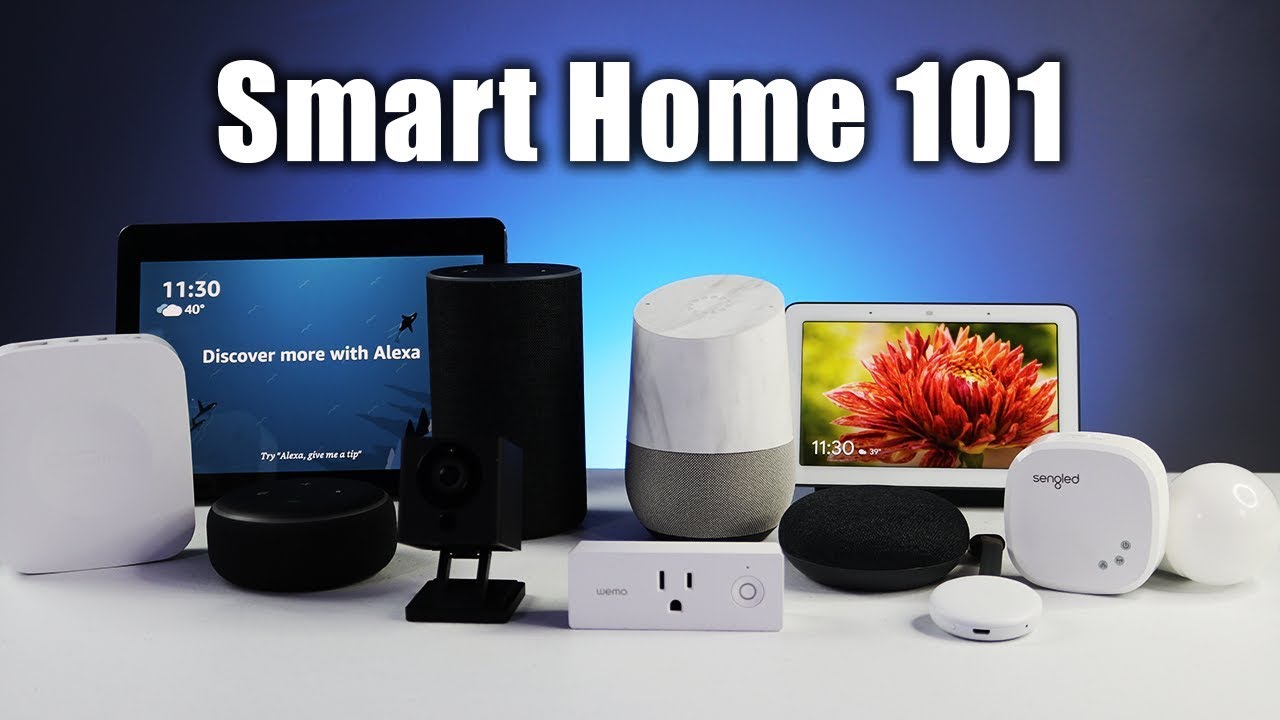
Securing your home shouldn’t require emptying your bank account. With a bit of planning and the right choices, you can create a robust smart security system without overspending. This section focuses on affordable smart security options, providing a guide for setup and offering tips to enhance your home’s safety without breaking the bank.
Affordable Smart Security Options
Several budget-friendly options are available for smart home security. These devices often provide essential security features at a fraction of the cost of professional systems.
- Door and Window Sensors: These are the foundational elements of a smart security system. They detect when doors or windows are opened or closed, triggering alerts. Many affordable options connect via Wi-Fi or Zigbee and integrate with smart home hubs. A common example is the Aqara Door and Window Sensor, often priced under $20.
- Smart Security Cameras: Smart cameras offer visual monitoring of your home. They can be indoor or outdoor and come with features like motion detection, two-way audio, and night vision. Consider brands like Wyze, known for their affordable cameras with impressive features. A Wyze Cam V3 often costs around $30, offering 1080p video and color night vision.
- Smart Locks: These replace traditional locks and allow you to control access to your home remotely. Some budget-friendly options include keypad locks that allow you to set unique codes for different users. Brands like Kwikset and Schlage offer more affordable smart lock models.
- Motion Sensors: Motion sensors detect movement within a defined area, triggering alerts or actions. These can be placed indoors or outdoors to monitor for suspicious activity. They often integrate with other smart home devices.
Setting Up a Basic Smart Security System
Setting up a basic smart security system is a straightforward process. The following steps provide a guide.
- Choose a Smart Home Hub (Optional but Recommended): While some devices connect directly to Wi-Fi, a smart home hub like SmartThings or Hubitat simplifies integration and allows for more advanced automation. This centralizes control and enhances compatibility.
- Install Door and Window Sensors: Place sensors on doors and windows you want to monitor. Follow the manufacturer’s instructions for pairing them with your hub or directly with your Wi-Fi network.
- Position Security Cameras: Place cameras in strategic locations, such as entryways, living areas, and backyards. Ensure they have a clear view and are positioned to capture potential intruders.
- Configure Alerts and Notifications: Set up alerts in the smart home app to notify you when a sensor is triggered or motion is detected. Customize the notifications to include video clips or snapshots.
- Test the System: After installation, test all devices to ensure they are functioning correctly and that alerts are being received as expected. Simulate various scenarios to confirm functionality.
Tips for Enhancing Smart Home Security on a Budget
Enhancing smart home security doesn’t always mean spending more money. Several strategies can improve your system’s effectiveness without increasing the cost.
- Prioritize Key Areas: Focus on securing entry points like front doors, back doors, and ground-floor windows. These are the most common points of entry for burglars.
- Utilize Existing Devices: If you already have smart home devices, consider how they can contribute to security. For example, a smart light can be programmed to turn on when motion is detected.
- Set Up Automation Routines: Automate actions like turning on lights when a door is opened or triggering a siren when a security breach is detected. These automations can deter intruders and alert you to potential issues.
- Choose Cloud Storage Wisely: Many security cameras offer cloud storage for video recordings. Research different plans and choose the one that best fits your needs and budget. Some cameras offer free basic storage.
- Regularly Update Firmware: Keep all your smart home devices updated with the latest firmware. These updates often include security patches that protect against vulnerabilities.
- Consider Professional Monitoring (Optional): While not always budget-friendly, some companies offer affordable professional monitoring plans. These plans can provide 24/7 monitoring and dispatch emergency services if needed. Compare pricing and features to find the best value.
- Create a layered approach: Combine different types of security devices, such as door sensors, cameras, and motion detectors, to create a more comprehensive and resilient system. For instance, a thief might disable a door sensor, but a camera could still capture their actions.
Automation and Scenes
Automations and scenes are the heart of a truly “smart” home, allowing your devices to work together seamlessly and react to your needs without you lifting a finger. They take your smart home from a collection of individually controlled gadgets to an intelligent system that anticipates and responds to your lifestyle. By setting up these features, you can create a more convenient, efficient, and personalized living experience.
Understanding Automations and Scenes
Automations are rules that trigger actions based on specific events or conditions. Think of them as the “if this, then that” logic of your smart home. Scenes, on the other hand, are pre-defined groups of actions that you can activate with a single command. They allow you to control multiple devices simultaneously, creating a specific ambiance or setting with ease.
Examples of Simple and Effective Automations
Automations can significantly enhance your daily routines and improve your home’s functionality. Here are some simple yet powerful automation examples you can easily implement:
- Sunrise/Sunset Lighting: Automatically turn on outdoor lights at sunset and off at sunrise. This not only enhances security but also saves energy. For example, if you live in a region where sunset is at 7:00 PM in the summer, your outdoor lights will automatically switch on at that time.
- Motion-Activated Lights: Have lights turn on in hallways or entryways when motion is detected. This is incredibly useful for navigating in the dark and can deter potential intruders.
- Door/Window Open Notifications: Receive a notification on your smartphone when a door or window is opened, providing an extra layer of security and peace of mind.
- Temperature-Based Thermostat Adjustments: Adjust your thermostat based on the current temperature. For example, if the temperature drops below a certain point, the thermostat can automatically increase the heat.
- Water Leak Detection: Receive instant alerts if a water leak is detected by a smart sensor, preventing potential water damage.
Creating Custom Scenes
Scenes allow you to control multiple devices with a single command, streamlining your interactions with your smart home. Here’s how to create custom scenes:
- “Movie Night” Scene: This scene could dim the lights, close the smart blinds, and turn on your TV and sound system. To create this, you would:
- Select the devices you want to control (e.g., smart lights, smart blinds, TV, sound system).
- Set the desired settings for each device (e.g., dim lights to 20%, close blinds completely, turn on TV and select the HDMI input, set sound system to a specific volume).
- Save the scene with a descriptive name like “Movie Night.”
- “Goodnight” Scene: This scene could lock the doors, turn off all lights, and lower the thermostat. To create this:
- Select your smart lock, smart lights, and smart thermostat.
- Set the actions for each device (e.g., lock the front door, turn off all lights, set the thermostat to a lower temperature).
- Save the scene as “Goodnight.”
- “Morning Routine” Scene: This scene could gradually brighten the lights, start playing music, and brew coffee (if you have a smart coffee maker).
- Choose your smart lights, smart speaker, and smart coffee maker.
- Define the actions for each device (e.g., gradually increase light brightness, start your favorite playlist at a specific volume, begin brewing coffee).
- Save this scene as “Morning Routine.”
DIY Smart Home Projects
Embarking on DIY smart home projects offers a fantastic opportunity to customize your smart home setup while keeping costs down. This approach allows you to learn about the technology, tailor solutions to your specific needs, and potentially save money compared to purchasing all pre-made devices. However, it requires a certain level of technical aptitude and a willingness to troubleshoot.
DIY Project Ideas for a Smart Home
DIY projects range from simple modifications to more complex builds. The key is to start small and gradually expand your capabilities. Here are a few ideas to get you started:
- Smart Door/Window Sensors: These sensors detect when a door or window is opened or closed. They can be used for security alerts, to trigger automations (e.g., turning on lights when a door opens), or to monitor energy usage (e.g., reminding you to close a window when the air conditioner is running).
- Smart Irrigation System: Control your sprinklers or drip irrigation system based on weather data, soil moisture levels, or a schedule. This can help conserve water and optimize plant health.
- Custom Smart Lighting: Build your own smart light switches or dimmers using microcontrollers and smart bulbs. This gives you precise control over your lighting and allows for custom lighting scenes.
- Voice-Controlled Devices: Integrate voice control into existing devices using platforms like Raspberry Pi and voice assistants like Alexa or Google Assistant. This can allow you to control appliances or other electronics with your voice.
- Environmental Monitoring: Create sensors to monitor temperature, humidity, air quality, and other environmental factors in your home. This data can be used to optimize comfort, identify potential problems, or track trends over time.
A Simple DIY Smart Door Sensor Project
Let’s Artikel a simple project: building a smart door sensor. This project requires minimal components and coding knowledge.
Components Needed:
- A magnetic reed switch (a sensor that closes a circuit when a magnet is nearby).
- A magnet (to be attached to the door).
- A microcontroller (e.g., an ESP8266 or ESP32, which has Wi-Fi capabilities).
- Jumper wires.
- A breadboard (optional, for prototyping).
- A 3.3V or 5V power supply (depending on the microcontroller).
Steps:
- Wiring: Connect one pin of the reed switch to a digital input pin on the microcontroller and the other pin to a ground pin. Connect a pull-up resistor (typically 10k ohms) between the digital input pin and the 3.3V or 5V power supply. This resistor ensures a defined voltage level when the switch is open.
- Coding: Write code for the microcontroller to monitor the digital input pin connected to the reed switch. The code should detect when the pin’s state changes (from HIGH to LOW or vice versa) indicating the door’s open or closed state.
- Data Transmission: Configure the microcontroller to connect to your Wi-Fi network and send the door status (open or closed) to a smart home hub, a cloud service, or a local server. This can be achieved using protocols like MQTT or HTTP.
- Physical Setup: Mount the reed switch on the door frame and the magnet on the door itself, ensuring that they align when the door is closed.
Example Code Snippet (ESP8266/ESP32 with Arduino IDE):
This is a simplified example; specific libraries and setup details will vary.
 #define REED_SWITCH_PIN 5 // Example: GPIO5
 #define WIFI_SSID "Your_WiFi_SSID"
 #define WIFI_PASSWORD "Your_WiFi_Password"


 void setup()
  Serial.begin(115200);
  pinMode(REED_SWITCH_PIN, INPUT_PULLUP); // Use internal pull-up resistor
  // Initialize WiFi
  WiFi.begin(WIFI_SSID, WIFI_PASSWORD);
  while (WiFi.status() != WL_CONNECTED)
  delay(500);
  Serial.print(".");

  Serial.println("WiFi connected");


 void loop()
  int doorState = digitalRead(REED_SWITCH_PIN);
  if (doorState == LOW)  // Assuming LOW indicates door open
  Serial.println("Door Open");
  // Send notification or data
   else
  Serial.println("Door Closed");
  // Send notification or data

  delay(1000); // Check every second
Illustration Description: The illustration depicts a basic circuit diagram for the smart door sensor. It shows the reed switch connected to the digital input pin of an ESP8266 microcontroller. The magnet is placed next to the reed switch. The ESP8266 is connected to a Wi-Fi network and is sending data to a smart home hub. The microcontroller is powered by a USB cable.
This simplified diagram provides a visual representation of the project’s core components and their connections, helping the user understand the circuit’s basic functionality.
Advantages and Disadvantages of DIY Smart Home Projects
DIY projects offer a unique set of advantages and disadvantages compared to buying pre-made devices.
Advantages:
- Cost Savings: DIY projects can often be cheaper than purchasing equivalent pre-made devices, especially for custom solutions or when using readily available components.
- Customization: You can tailor the project to your specific needs and preferences, creating solutions that are not available commercially.
- Learning Opportunity: DIY projects provide valuable learning experiences, teaching you about electronics, programming, and smart home technology.
- Flexibility: You have complete control over the project, allowing you to modify, expand, and integrate it with other systems as needed.
Disadvantages:
- Time Investment: DIY projects require time for research, planning, building, and troubleshooting.
- Technical Skills: Some projects require a certain level of technical expertise, including electronics knowledge and programming skills.
- Potential for Errors: Mistakes can happen, and troubleshooting can be time-consuming.
- Limited Support: You are responsible for the project’s maintenance and support; there is no manufacturer warranty or customer support.
Avoiding Common Mistakes
Building a smart home on a budget is exciting, but it’s easy to stumble along the way. Avoiding common pitfalls can save you time, money, and frustration. This section will help you navigate the process, troubleshoot issues, and scale your smart home setup effectively.
Overspending on Initial Purchases
One of the biggest mistakes is overspending at the outset. It’s tempting to buy everything at once, but this can quickly blow your budget.
- Start Small: Begin with a few essential devices, like smart lighting or a smart plug. This allows you to test the waters and understand the technology before investing heavily.
- Prioritize Needs: Identify your most important smart home goals. Are you focused on energy savings, security, or convenience? Prioritize devices that address those needs.
- Research Deals: Look for sales, discounts, and refurbished devices. Many retailers offer significant savings on smart home products.
- Consider Bundles: Sometimes, purchasing a starter kit or a bundled package can offer better value than buying individual devices.
Ignoring Compatibility Issues
Compatibility is crucial for a seamless smart home experience. Choosing incompatible devices can lead to frustration and wasted money.
- Understand Protocols: Familiarize yourself with common smart home protocols like Wi-Fi, Z-Wave, and Zigbee.
- Check Hub Compatibility: If you plan to use a smart home hub, ensure all your devices are compatible with it.
- Read Reviews: Before purchasing any device, read reviews to see if others have experienced compatibility issues.
- Test Before Committing: If possible, buy a single device to test its compatibility with your existing setup before purchasing more.
Poor Wi-Fi Network Planning
A weak or overloaded Wi-Fi network can cripple your smart home.
- Assess Your Network: Evaluate your current Wi-Fi coverage and speed. Use a Wi-Fi analyzer app to identify dead zones.
- Upgrade Your Router: If necessary, upgrade to a newer router with better range and performance, especially if you have a lot of devices. Consider a mesh Wi-Fi system for larger homes.
- Optimize Device Placement: Place your router in a central location, free from obstructions. Position smart home devices within range of your Wi-Fi signal.
- Prioritize Bandwidth: Use the 5 GHz band for smart home devices, as it generally offers faster speeds and less interference than the 2.4 GHz band.
Failing to Secure Your Smart Home
Smart home devices can be vulnerable to cyberattacks if not properly secured.
- Change Default Passwords: Immediately change the default passwords on all your smart home devices and your router.
- Use Strong Passwords: Create strong, unique passwords for each device and your Wi-Fi network. Use a password manager to store and manage them.
- Enable Two-Factor Authentication: Enable two-factor authentication (2FA) on your smart home accounts whenever possible.
- Keep Firmware Updated: Regularly update the firmware on your smart home devices and router to patch security vulnerabilities.
- Isolate Your Smart Home Network: Consider creating a separate Wi-Fi network for your smart home devices to isolate them from your primary network.
Neglecting Automation and Scenes
Smart home automation is about more than just controlling devices; it’s about making your life easier. Neglecting automation and scenes means missing out on the full potential of your smart home.
- Start Simple: Begin with basic automations, such as turning on lights at sunset or locking doors at a specific time.
- Experiment with Scenes: Create scenes to control multiple devices with a single command, such as a “Movie Night” scene that dims the lights, closes the blinds, and turns on the TV.
- Use Triggers: Explore different triggers for your automations, such as time of day, motion sensors, or the status of other devices.
- Refine and Iterate: Regularly review and adjust your automations and scenes to optimize their performance and meet your changing needs.
Troubleshooting Common Smart Home Issues
Even with careful planning, you’ll likely encounter issues. Knowing how to troubleshoot them is essential.
- Check Power and Connectivity: Ensure all devices are powered on and connected to your Wi-Fi network or hub.
- Restart Devices: Restarting a device, your hub, or your router can often resolve simple problems.
- Consult the Manuals: Refer to the device manuals for troubleshooting tips and specific instructions.
- Check for Firmware Updates: Ensure all your devices have the latest firmware updates installed.
- Contact Support: If you can’t resolve the issue, contact the manufacturer’s support team.
Scaling Your Smart Home Setup Over Time
Building a smart home is an ongoing process. Scaling your setup gradually allows you to spread out costs and avoid overwhelming yourself.
- Set a Long-Term Plan: Define your overall smart home goals and create a roadmap for expanding your setup over time.
- Prioritize and Phase: Break down your goals into phases and prioritize devices based on your needs and budget.
- Leverage Existing Infrastructure: Build upon your existing smart home foundation. For example, adding more smart bulbs to your existing lighting system is typically less expensive than starting from scratch.
- Monitor Energy Usage: Use smart plugs and energy monitoring devices to track energy consumption and identify areas for improvement. This can help you justify further investments in smart home technology. For example, if you find that your old refrigerator consumes a lot of energy, you might consider a smart refrigerator, which can also help you save money on your electricity bill.
- Look for Open-Source Solutions: Consider open-source platforms like Home Assistant, which can help you integrate a wide variety of devices and create complex automations without significant additional costs. Home Assistant allows you to control all your devices from a single interface and automate them based on various triggers, such as time of day, motion detection, or the status of other devices.
Closing Notes
In conclusion, building a smart home on a budget is an achievable goal. By understanding the fundamentals, planning strategically, and choosing the right devices, you can enjoy the benefits of a connected home without overspending. From smart lighting to automated security, the possibilities are vast. Remember to start small, scale gradually, and embrace the journey of creating a smarter, more convenient living space tailored to your needs and budget.
The future of home automation is within your reach!